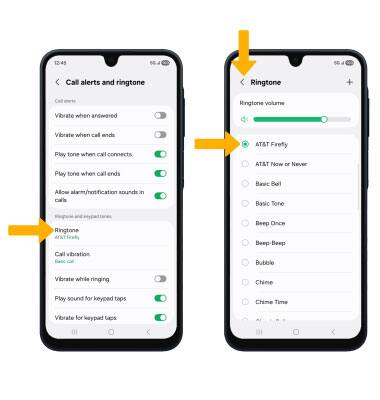
Sounds
Learn how to change volume settings, ringtones, and notification alerts.
In this tutorial, you will learn how to:
• Adjust volume
• Activate vibrate and silent mode
• Access volume through quick settings
• Change ringtone
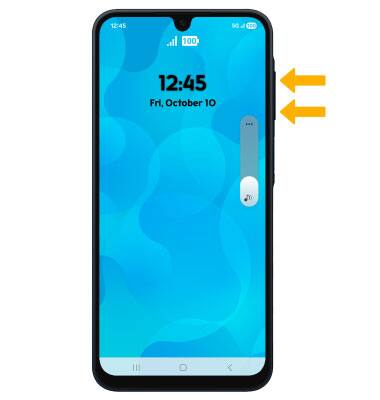
Adjust volume
Press the Volume buttons located on the right side of the device to adjust the media volume.
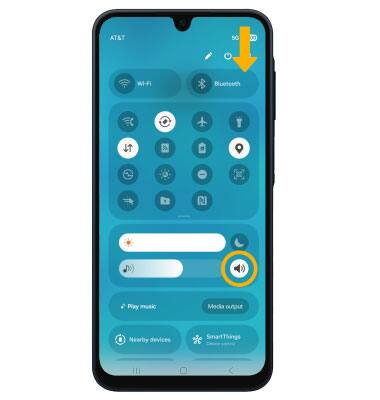
Activate vibrate and silent mode
To activate Vibrate or Silent mode, swipe down from the upper right corner of the screen then select the Volume icon until the desired icon appears.
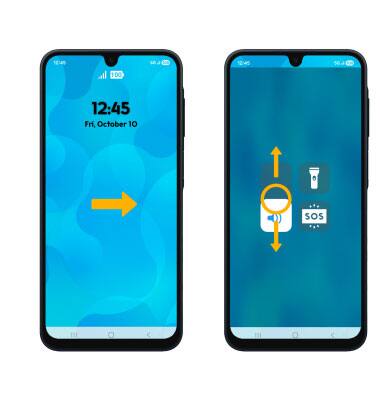
Access volume through quick settings
From the home screen, swipe right to the quick settings. Select and drag the Volume slider up or down as desired
Change ringtone
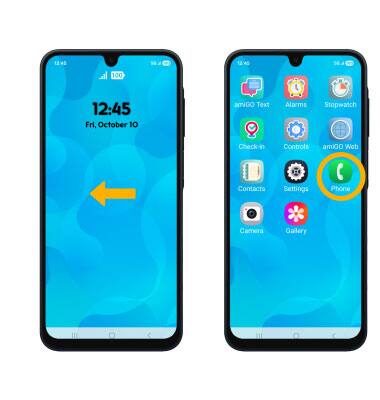
1. To change the ringtone, from the home screen, swipe left to the app trays then select the Phone app.
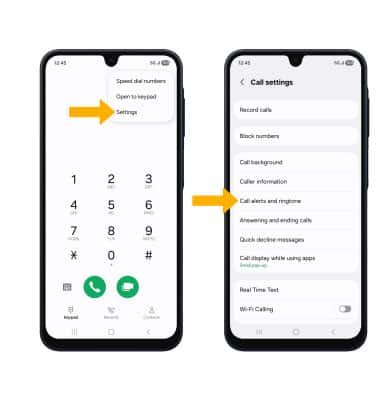
2. Select the  Menu icon > Settings > Call alerts and ringtone.
3. Select Ringtone. Select the desired ringtone, then select the back arrow.