Find My Device
Find My Device
How to find, secure, and erase your device in the event of it being lost or stolen.
INSTRUCTIONS & INFO
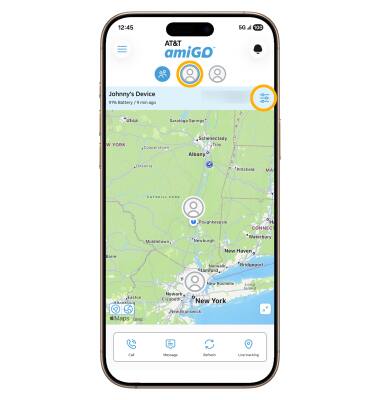
1. From the parent's connected smart phone, navigate to and select the  AT&T amiGO™ app. Select the desired device, then select the Settings icon.
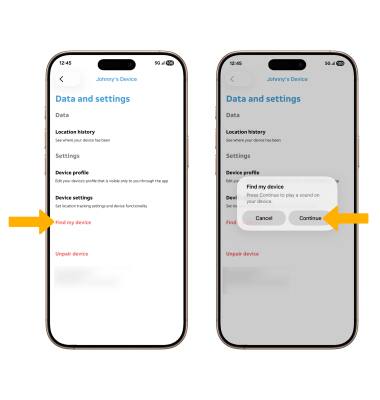
2. Select Find my device, then select Continue.
Note: A sound will play on your phone. Dismiss the notification to silence your phone.