Can't Access Certain Websites
What to do if you can't access certain websites when using your device.
In this tutorial, you will learn how to:
• Check network status
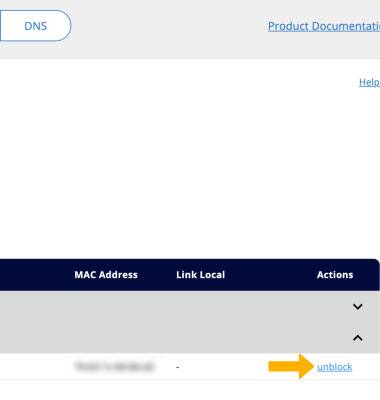
• View/unblock blocked devices
Check network status
The signal strength is displayed by the Signal bars on the device display. When connected to 5G or LTE, the 5G or LTE icon will be displayed.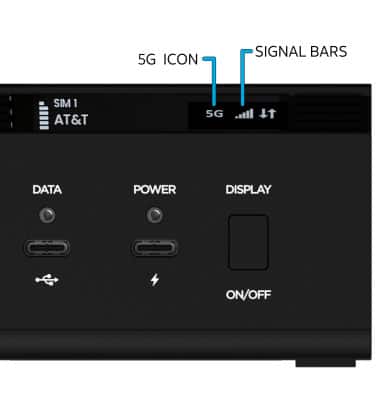
View/unblock blocked devices
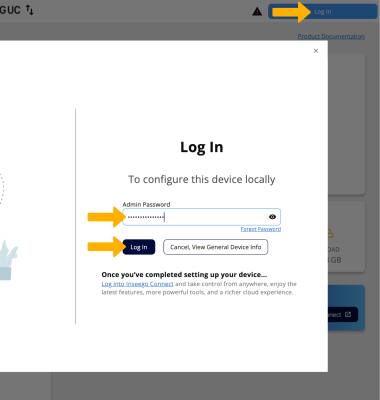
1. If you cannot find the network, your connected device may be on the Blocked Devices list. From your device’s web browser, go to http://Inseego.local or https://192.168.1.1. Click Log In in the upper right corner of the screen. Enter your password, then click Log In.
Note: Ensure that your device is connected to the Inseego Wavemaker FX4200 Wi-Fi network. For more information, please see the Connect Devices to Wi-Fi or Connect PC or Mac to Wi-Fi tutorials. If you haven’t logged into the Web admin page before, the default password will be displayed on the bottom of the device. You may be prompted to change the admin password.
2. Click Network then click the Devices tab.
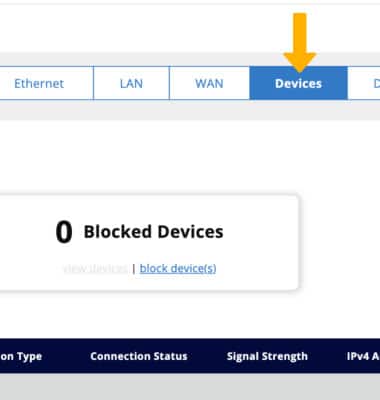
3. Click view devices under Blocked Devices. Blocked devices will be displayed.
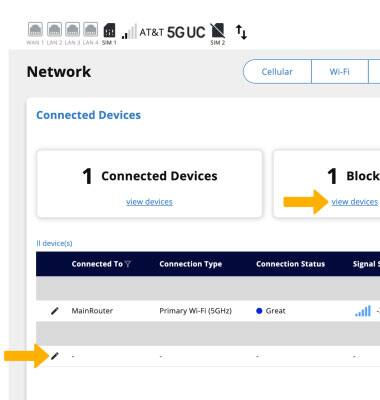
4. To unblock a device, click unblock next to the desired device.