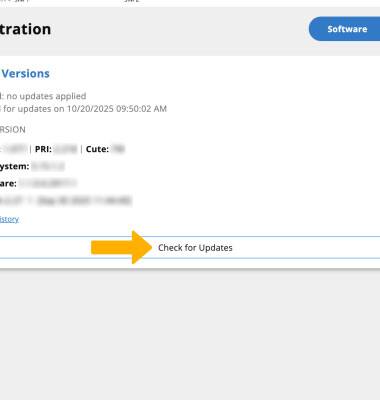
Software Version
Determine your current device software version and check for updates.
 Stay current by regularly checking for software updates, which often include important security patches and performance enhancements. Before downloading updates, ensure you’re connected to a reliable Wi-Fi or cellular network for a smooth experience.
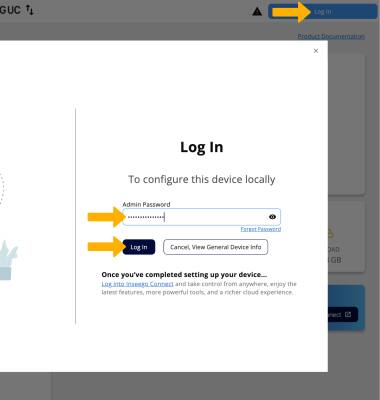
1. From your connected device's web browser, go to http://inseego.local or https://192.168.1.1. Select Log In. Enter your password, then click Log In.
Note: Ensure that your device is connected to the Inseego Wavemaker FX4200's Wi-Fi network. For more information, please see the Connect Devices to Wi-Fi or Connect PC or Mac to Wi-Fi tutorials. If this is your first time logging into the Web admin page, the default password will be ‘admin’. You may be prompted to change the admin password.
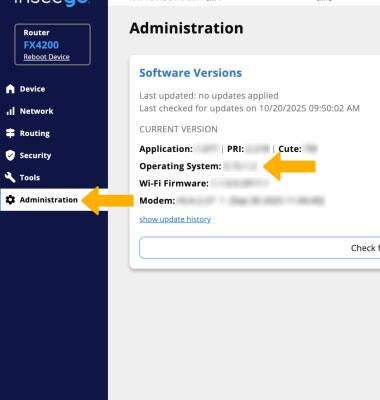
2. Click Administration on the on the left side of the screen. The current software version will be displayed next to Operating System.
Note: If an update is available, follow the on-screen instructions to perform the update.