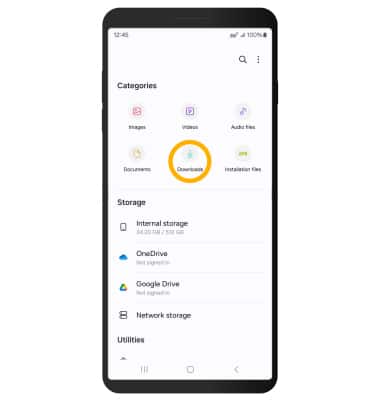
Access Downloaded Files
Access Downloaded Files
Access files downloaded from a web browser, email, and messages.
INSTRUCTIONS & INFO
 For those using the AT&T amiGO™ Jr. Phone, the parent must first provide access to Settings. If this is a one time access to files, the parent should disable the Settings app on the child’s device through the AT&T amiGO™ app after accessing the file.
1. Navigate to the device's file management app  . This app may be known as Downloads, File Manager, Files, or My Files.
Note: The device's file management app will generally feature an icon that looks like a folder.
2. From the device's file management app, navigate to the Downloads folder. Downloaded files will be displayed.