Device Assembly
Install or remove the SIM and attach an external antenna.
In this tutorial, you will learn how to:
• Install or remove a SIM card
• Add an external antenna
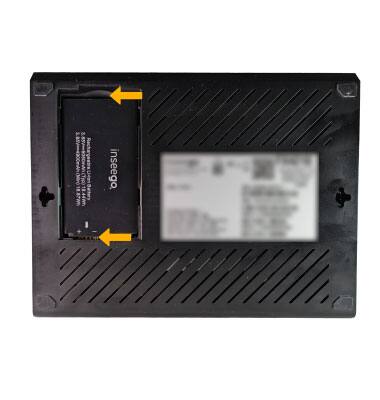
• Remove or Insert Battery
This device comes with a pre-installed SIM, however, should you need to replace your SIM, follow these instructions. When a SIM is not installed in the device, a red LED light will blink. If a new SIM is needed, contact AT&T, or visit an AT&T store.
Install or remove a SIM card
INSERT A SIM CARD: 1. Use the notch to remove the DUAL SIM cover.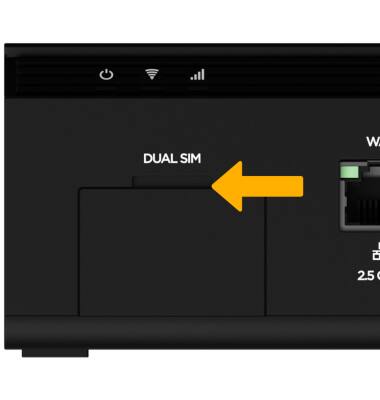
2. Insert the nano SIM card into the desired SIM Card Slot with the notched edge going in first and the gold contacts facing down. Press until the SIM card clicks into place. Repeat this process to insert a second nano SIM card.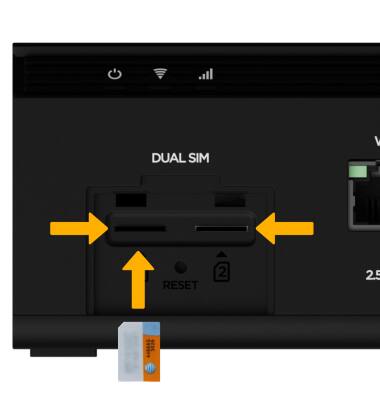
REMOVE A SIM CARD: 1. With the DUAL SIM cover removed, press on the SIM card until the SIM card ejects out of the SIM Card Slot then remove the SIM card.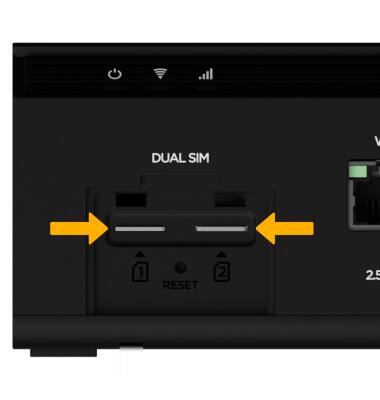
2. Replace the DUAL SIM cover.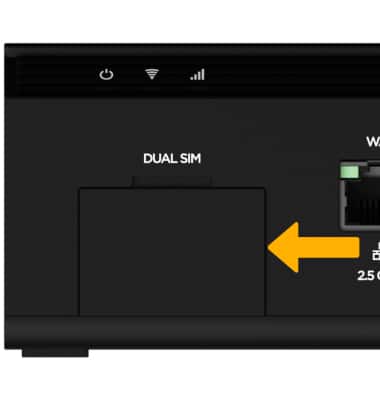
Add an external antenna
1. On the back of the device, use the notch to remove the External Antenna cover.
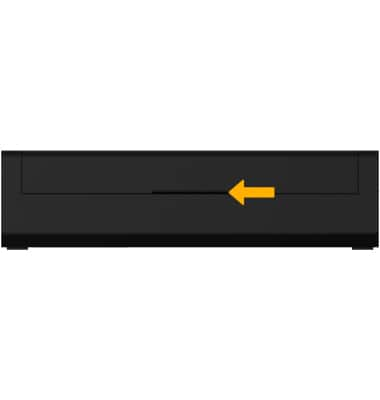
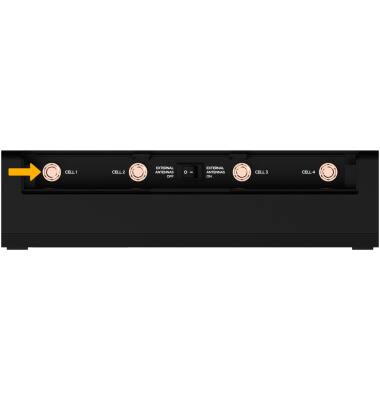
2. Use the desired antenna port to attach the desired antenna.
Note: If you are using an external antenna, ensure the EXTERNAL ANTENNAS switch is set to ON.
Remove or Insert Battery
1. On the back of the device, use the notch to remove the Battery cover.
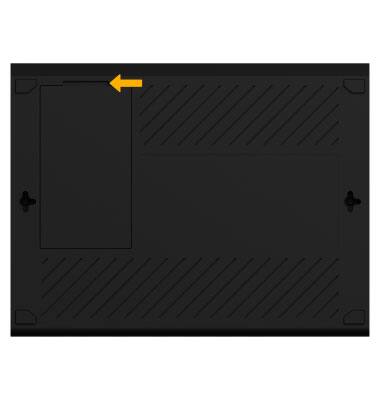
2. With the battery cover removed, use the notch to remove the battery. To insert a battery, line up the gold contacts on the bottom left of the battery with the gold contacts on the device.
Note: You can also use the arrow on the battery to guide you when inserting a battery. Replace the battery cover when you are finished.