Now Nudge
Use Now Nudge to automate actions that streamline daily tasks without requiring your direction.
 To use Galaxy AI features and apps, you will need to sign into a Samsung account.
In this tutorial, you will learn how to:
• Enable or Disable Now Nudge
• Use Now Nudge
Enable or Disable Now Nudge
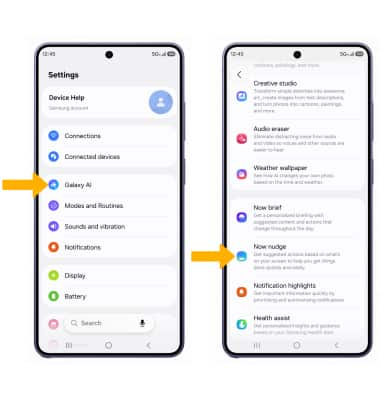
1. Now Nudge acts before you ask, and works for you. It takes automated actions that streamline daily tasks, without requiring your direction. To access Now Nudge settings, swipe down from the upper right corner of the screen, then select the  Settings icon.
2. Select Galaxy AI, then scroll to and select Now nudge.
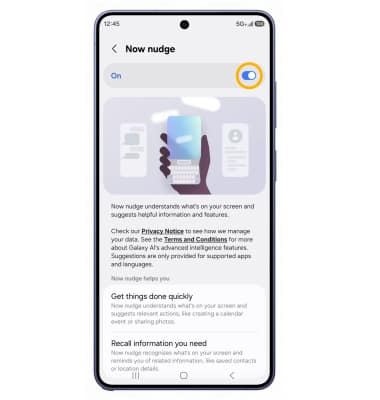
3. Select the Now nudge switch.
Use Now Nudge
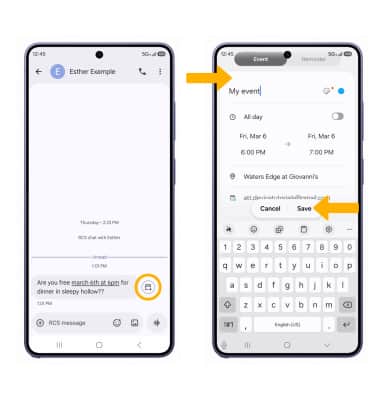
Now Nudge can be used to quickly look up a location, create an event or a reminder from a conversation, start a call directly from a conversation, and more. When a Now Nudge icon appears, select the Nudge icon then follow the prompts to complete the desired task.