Take a Picture
Take a Picture
Learn how to take a picture, use the front and rear camera, switch between camera and modes, and more.
INSTRUCTIONS & INFO

For technical details about your camera, visit the Specifications tutorial.
In this tutorial, you will learn how to:
• Switch between front and rear cameras
• Focus the camera
• Zoom in and out/ Ultra Wide
• Take a photo
This tutorial requires you open the Camera app. To access the camera from the home screen, select the  Camera app. Alternatively, from the lock screen, select and hold the Camera app icon.
Switch between front and rear cameras
Select the Switch camera icon.
Note: You cannot switch the camera while you are recording a video.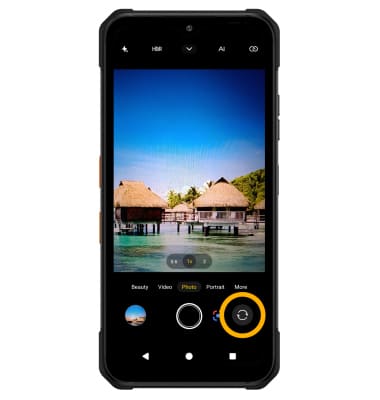
Focus the camera
Select the desired area of the photo you wish to focus on. A circle will appear when the area is selected.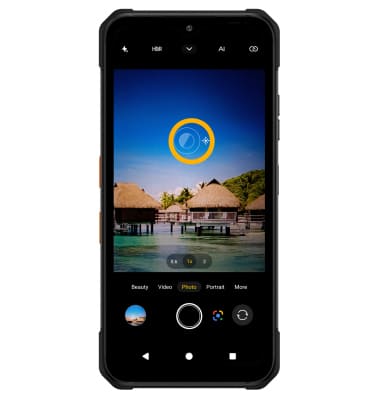
Zoom in and out/ Ultra Wide
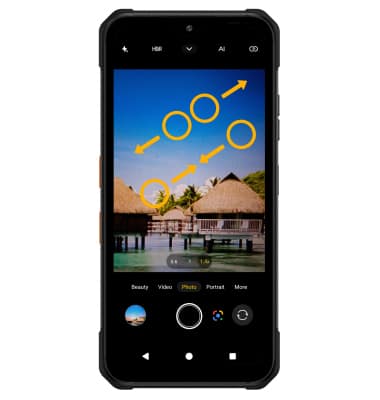
Move two fingers apart towards the edge of the screen to zoom in. Move two fingers inward towards the middle of the screen to zoom out.
Take a photo
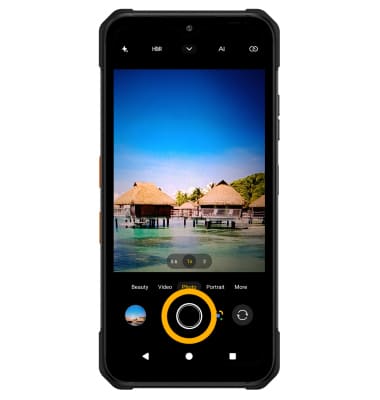
Select the Capture icon.
Note: Alternately, you can take a picture by pressing one of the Volume buttons.