Multi Function Flashlight
Multi Function Flashlight
Learn how to use Multi Function Flashlight.
INSTRUCTIONS & INFO
In this tutorial, you will learn how to:
• Access Multi Function Flashlight
• Use Multi Function Flashlight
Access Multi Function Flashlight
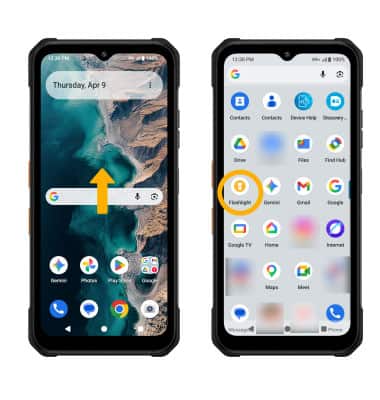
To access Multi Function Flashlight, from the home screen, swipe up to the Apps tray then navigate to and select the Flashlight app.
Use Multi Function Flashlight
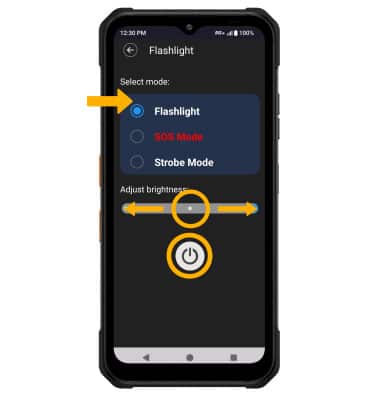
To use Multi Function Flashlight, select the On/Off icon. To change the flashlight mode, select the desired option. To adjust the brightness, select and drag the brightness slider to the desired brightness.