Backup & Restore with Google
Backup & Restore with Google
Backup Google account data in the event you have to replace or reset your device so you can restore later.
INSTRUCTIONS & INFO

For more information, including what data and settings are restored, please see Back up or restore data on your device.
Access Google Backup
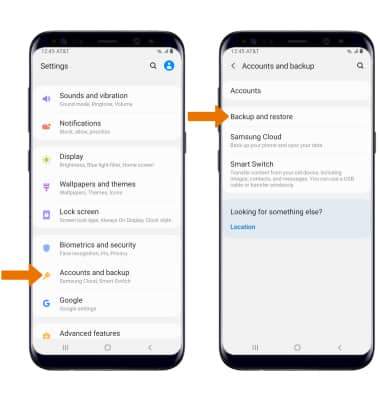
- Swipe down from the Notification bar, then select the Settings icon.
- Scroll to and select Accounts and backup, then select Backup and restore.
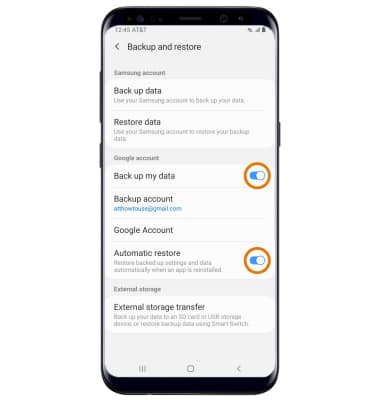
- Ensure that the Back up my data and Automatic restore switches are enabled.
Add New Backup Account
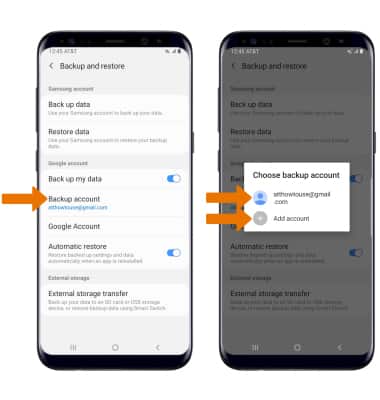
- From the Backup and restore screen, select Backup account then select the desired backup account option. Select Add account to backup your information to a new Google account.
Note: When you add your Google account to a device, the data that you previously backed up for that Google account is restored to the device.