Skip Navigation
Personal
Business
Find a store
Ver en español
Menu
Deals
Wireless
Internet
Accessories
Prepaid
Search
Support
Account
Start of main content
Wireless Support
/
Device Support
/
Making a Call
Share
Which device do you want help with?
Change device
Making a Call
This article describes how to make a call.
INSTRUCTIONS & INFO
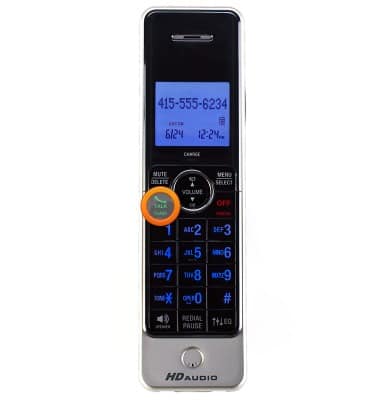
The preferred dialing method is to dial the 10-digit phone number, including area code, and then press the
Flash
(or
Talk/Phone
) key on your cordless phone handset.
Did you get the help you needed?
Yes
No
Additional support
Upgrade device
Check your upgrade eligibility
Wireless support
Get help with your wireless device, plan, and more.