Skip Navigation
Personal
Business
Find a store
Ver en español
Menu
Deals
Wireless
Internet
Accessories
Prepaid
Search
Support
Account
Start of main content
Wireless Support
/
Device Support
/
View or close running apps
Share
Which device do you want help with?
Change device
View or close running apps
How to view, switch between, and close running applications
INSTRUCTIONS & INFO
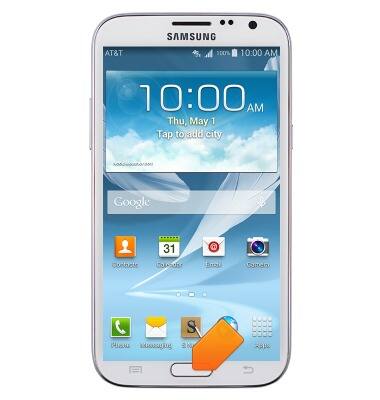
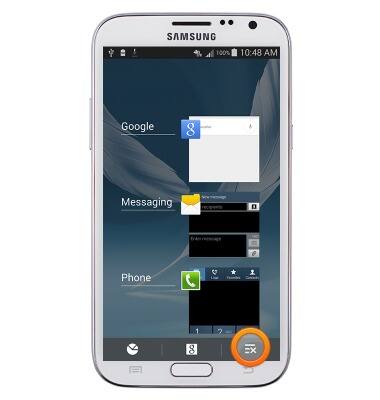
To view and close running apps, from any screen, press and hold the
Home key
.
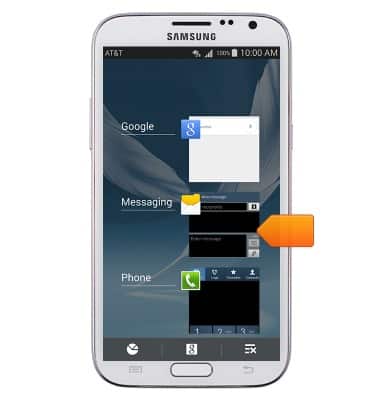
Tap an app to switch to it.
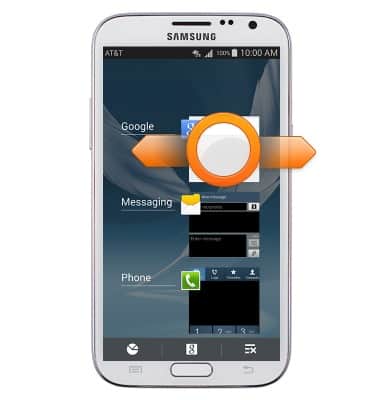
Touch, then drag an app to close it.
Tap the
Close all icon
to close all running apps.
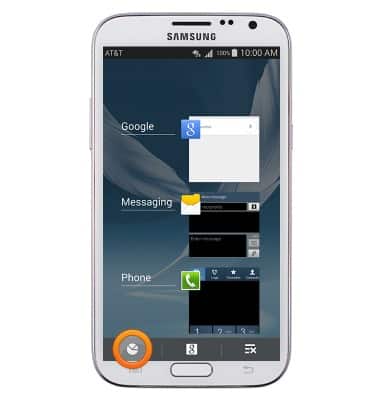
To access the task manager, tap the
Task manager icon
.
Did you get the help you needed?
Yes
No
Additional support
Upgrade device
Check your upgrade eligibility
Wireless support
Get help with your wireless device, plan, and more.