Battery life
Battery life
Tips & tricks to extend your battery performance.
INSTRUCTIONS & INFO
- Access Usage Manager to determine what apps and features are consuming battery power. Tap Stop next to any apps you are not using to conserve battery power.
Note: From the home screen, swipe to then tap the AT&T folder > Tap 'Usage Manager' > Tap the 'Battery' tab > Scroll to 'BATTERY USE DETAILS'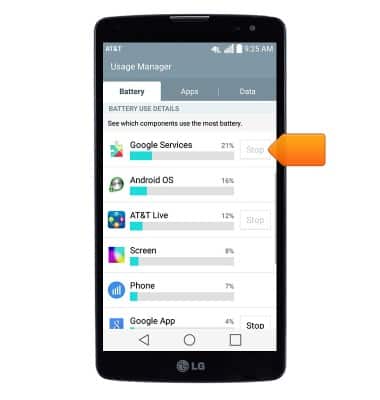
- Turn on Battery saver to prolong battery life.
Note: From the home screen, swipe down from the Notification bar > Tap the Settings icon > Tap the 'General' tab > Tap 'Battery' > Tap 'Battery Manager' > Tap the 'Battery saver' switch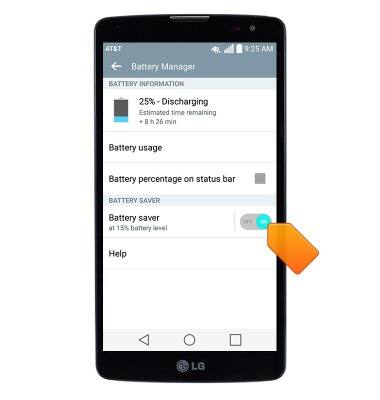
- Reduce the screen Brightness.
Note: From the home screen, swipe down from the Notification bar > Tap the Settings icon > Tap the 'Display' tab > Drag the Brightness slider to the desired level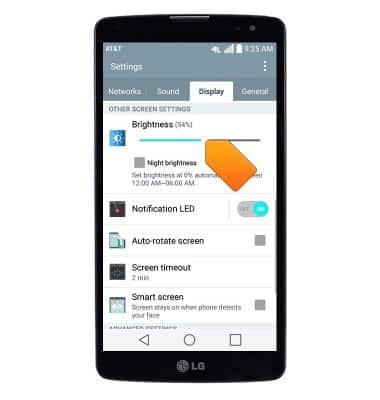
- Set the Screen timeout to a shorter duration.
Note: From the home screen, swipe down from the Notification bar > Tap the Settings icon > Tap the 'Display' tab > Tap 'Screen timeout' > Tap the desired option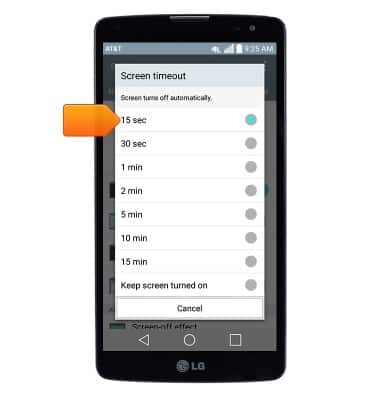
- Toggle Bluetooth, Wi-Fi, Location, and NFC off while not in use.
Note: From the home screen, swipe down from the Notification bar > Tap the desired icons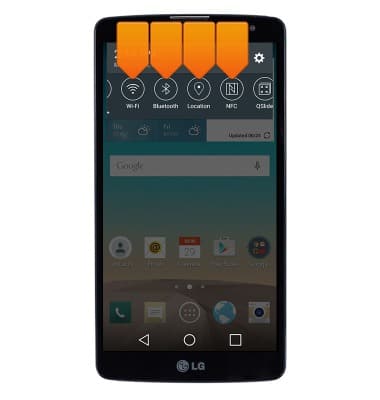
- Avoid using Live wallpapers, as they consume more battery life.
Note: Touch and hold an empty area of the home screen > tap 'Wallpapers' > Tap the desired option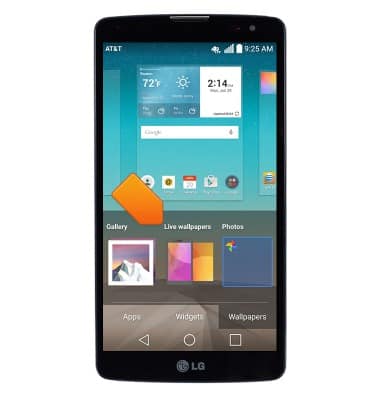
- Disable the Auto-update apps feature in the Play Store, as downloads will consume additional battery life.
Note: From the home screen, tap 'Play Store' > Tap the Play Store tab > tap 'SETTINGS' > Tap 'Auto-update apps' > Tap 'Do not auto-update apps'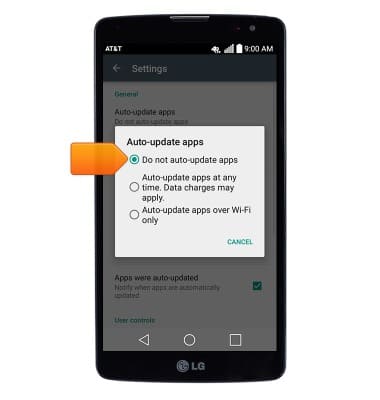
- Toggle Auto-sync features off to prevent applications from downloading content.
Note: From the home screen, swipe down from the Notification bar > Tap the Settings icon > Tap the 'General' tab > Tap 'Accounts & sync' > Tap 'Auto-sync data'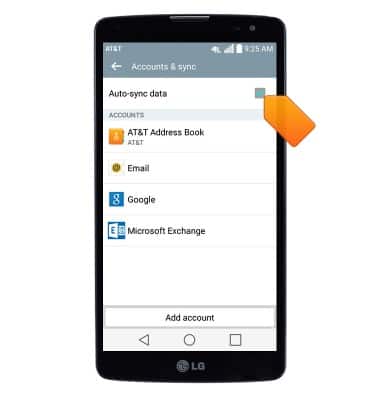
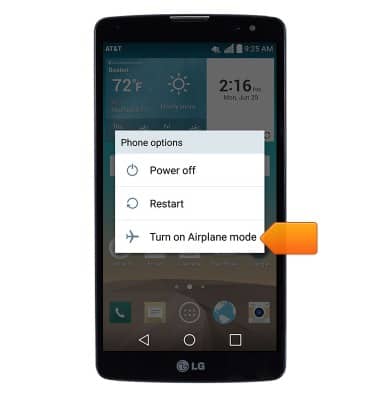
- If you are traveling and do not have access to mobile or Wi-Fi networks, switch to Airplane mode.
Note: Press and hold the Power/Lock key > tap 'Turn on Airplane mode'