Sounds & alerts
Sounds & alerts
Change volume settings, ringtones, and notification alerts.
INSTRUCTIONS & INFO
- Press the Volume keys to adjust the volume.
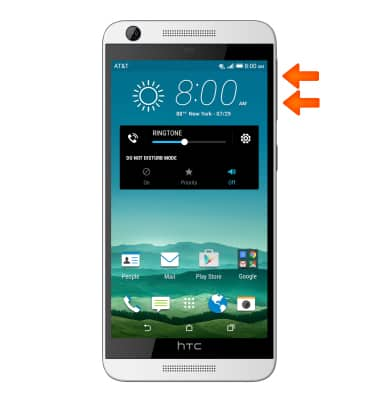
- Press the Volume Down key until the Silent icon is displayed to enable silent mode.
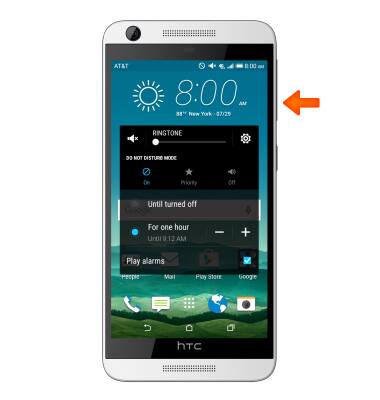
- Press the Volume Down key again until the Vibrate icon is displayed to enable vibrate.
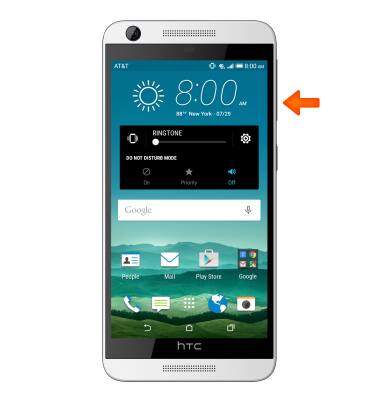
- Tap the Settings icon to access additional volume settings.
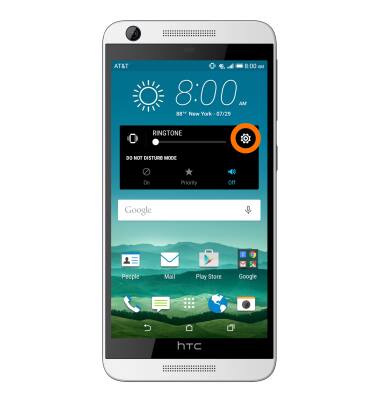
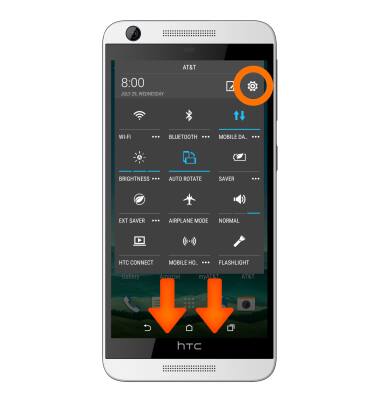
- To change the ringtone or adjust notification alerts, swipe down from the top of the screen with two fingers. Tap SETTINGS. Scroll to “PHONE”.
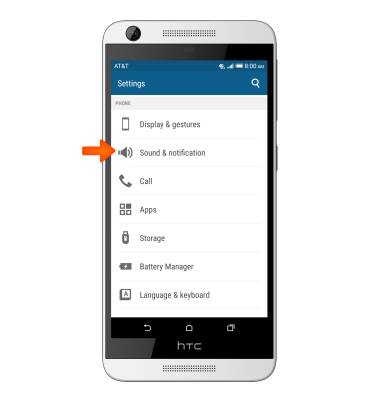
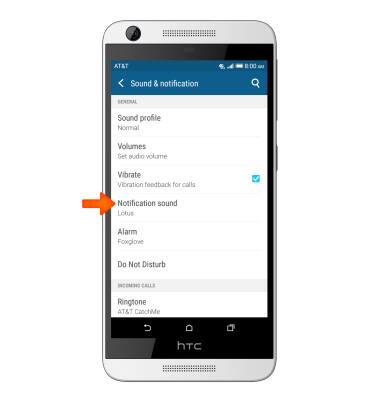
- Tap Sound & notification.
- To change the default ringtone, scroll to “INCOMING CALLS,” then tap Ringtone.
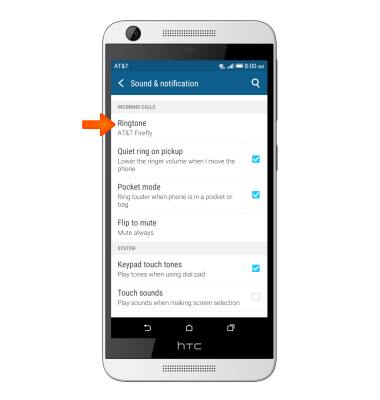
- Tap the Desired option. Then tap APPLY.
Note: For steps to assign a ringtone to a contact, please see the 'Contacts' tutorial.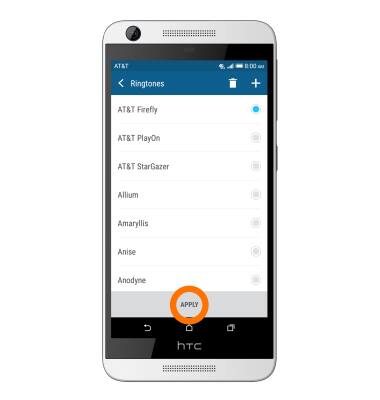
- To change notification alerts sound, tap Notification sound, then tap the desired option.
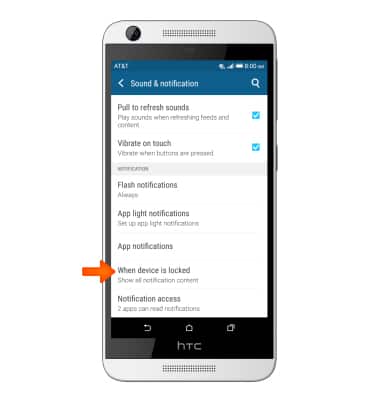
- To block or unblock notifications from appearing when the device is locked, tap When device is locked. Then tap the Desired option.