DIRECTV App
DIRECTV App
Watch, search, and record your favorite movies and shows, and turn your device into your remote control, with the DIRECTV app on your phone.
INSTRUCTIONS & INFO
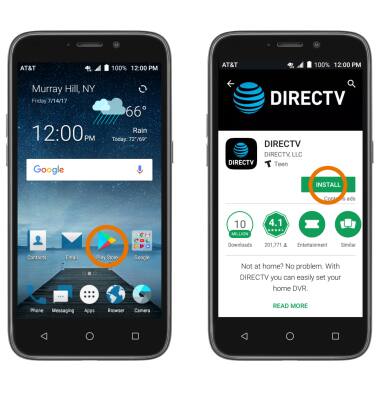
- DOWNLOAD DIRECTV APP: From the home screen, select the Play Store app. Search for and select the DIRECTV app, then select INSTALL.
- Select OPEN. Enter your Login information, then select Sign In.
Note: Upon first access, you will be prompted to review the End User Acknowledgement. Select I AGREE to continue. Upon first access, you will be presented with a tutorial. Select Continue to proceed. If you do not have a DIRECTV account, select Create one then follow the prompts.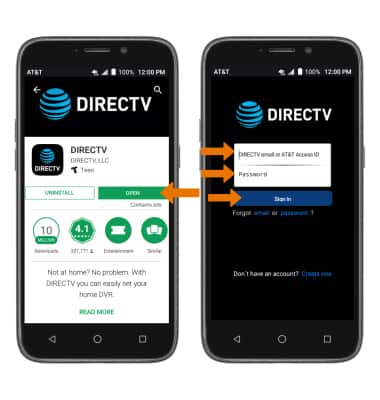
- WATCH LIVE TELEVISION: Select Watch on Phone, then select Watch Live TV or select the desired show.
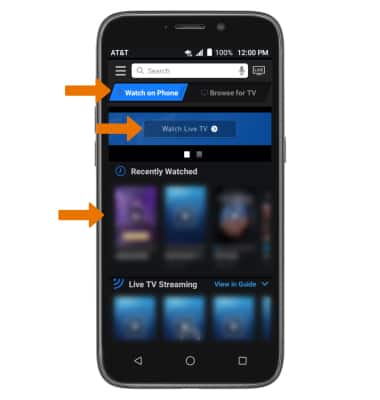
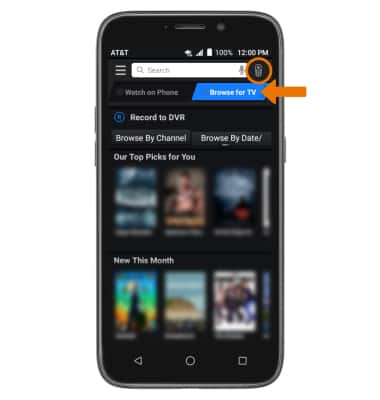
- USE DTV QUICK REMOTE: Select Browse for TV, then select the Remote icon.
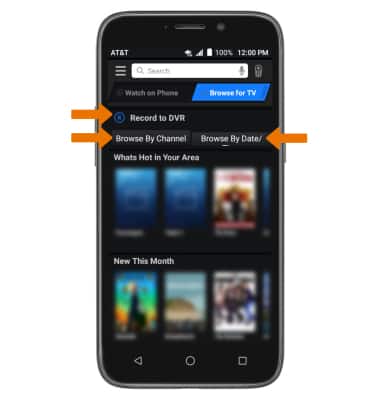
- BROWSE & RECORD PROGRAMS TO DVR: Select Record to DVR. You can also browse through programs on your phone by Channel or Date/Time by selecting the corresponding options.
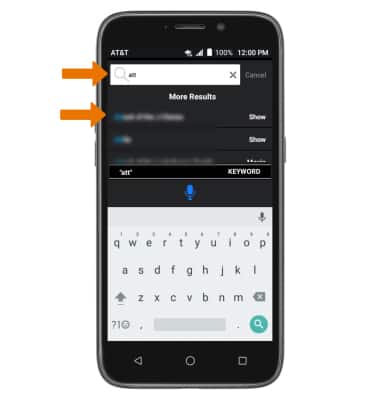
- SEARCH FOR SHOWS & MOVIES: Select the Search bar, then enter the desired show or movie. Select the desired search result.
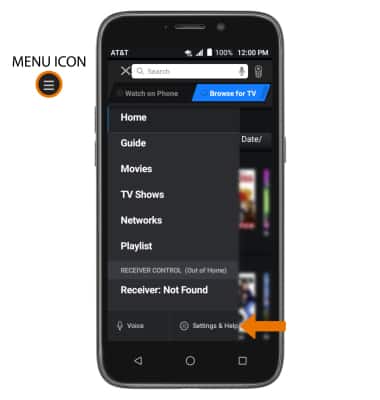
- ADJUST SETTINGS: Select the Menu icon, then select Settings & Help.