Change Clock Style
Change Clock Style
Learn how to change the style of the clock on your device.
INSTRUCTIONS & INFO
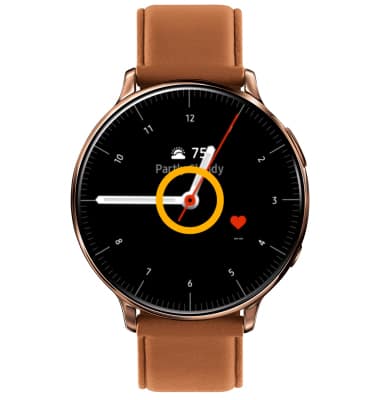
1. From the clock screen, select and hold the center of the screen.
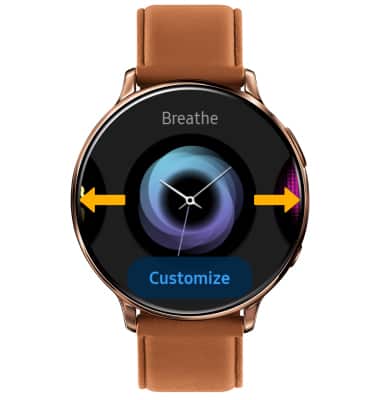
2. Swipe left or right to the desired background.
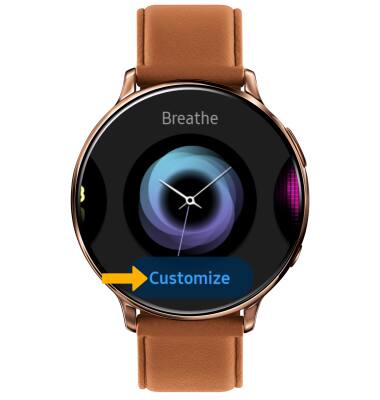
3. Select Customize to change the style of the background.
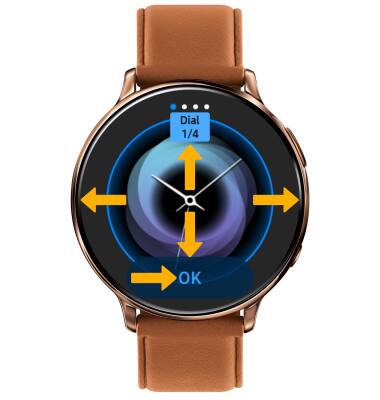
4. Swipe left or right to change the dial, hands, or color, then swipe up or down to choose the desired option. Select OK when finished.
2. Swipe left or right to the desired background.
3. Select Customize to change the style of the background.
4. Swipe left or right to change the dial, hands, or color, then swipe up or down to choose the desired option. Select OK when finished.