Connect WPS Devices
Connect WPS Devices
Learn how to connect WPS devices.
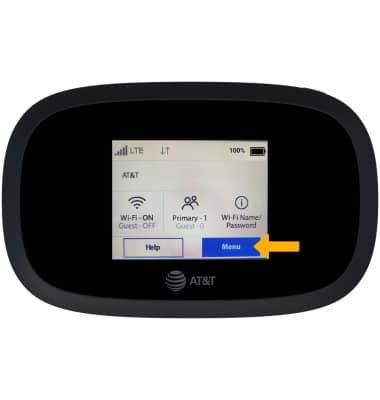
1. From the device homescreen, select Menu.
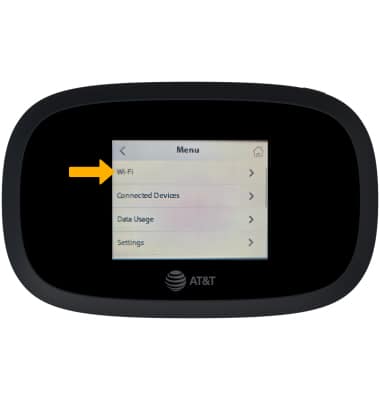
2. Select Wi-Fi
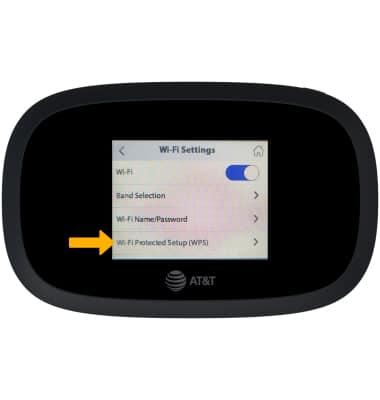
3. Select Wi-Fi Protected Setup (WPS)
2. Select Wi-Fi
3. Select Wi-Fi Protected Setup (WPS)
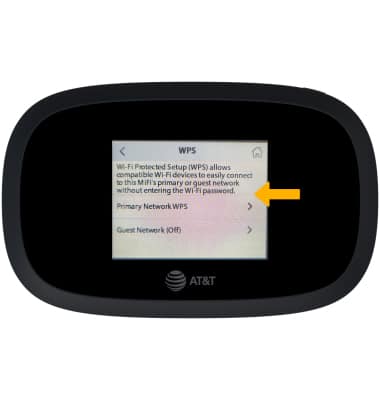
4. Select the desired network option.
5. Click the desired connection option.
Note: For this tutorial, Enter PIN was chosen.
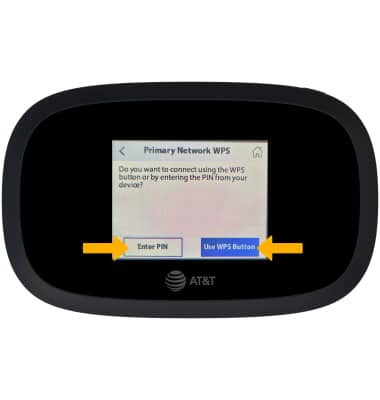
6. On the WPS-enabled device, navigate to and select the connection option. Follow the prompts to complete setup.
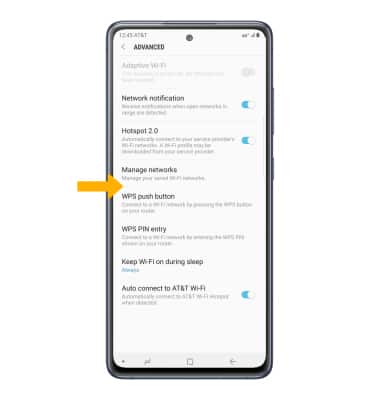
Note: For this tutorial, Enter PIN was chosen.
6. On the WPS-enabled device, navigate to and select the connection option. Follow the prompts to complete setup.