Download Apps & Games

In this tutorial, you will learn how to:
• Download and install an app on watch
• Download an app from your phone to your watch
• Download an app to your phone and watch simultaneously
• Uninstall an app
• Reinstall an app
Download and install an app on watch
 Play Store app.
Note: If you have not yet added your Google account to your watch, you will be prompted to do so. Select Next > Add from phone > follow the prompts to complete setup.
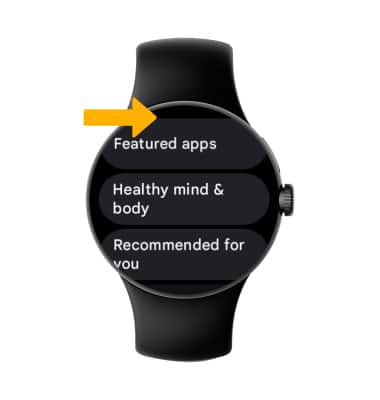
 Search icon or scroll to the desired app category.
Note: For this tutorial, the Search icon was chosen.
3. Select the Microphone icon to say the desired app or select the Keyboard icon to type the desired app. Enter the name of the app you wish to search for, then select the
Search icon.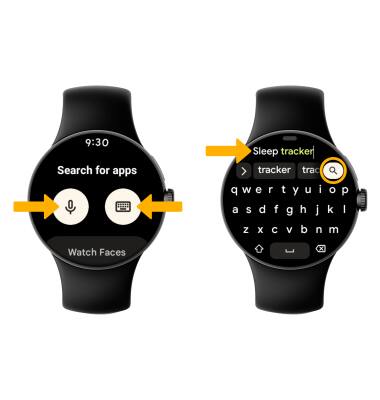
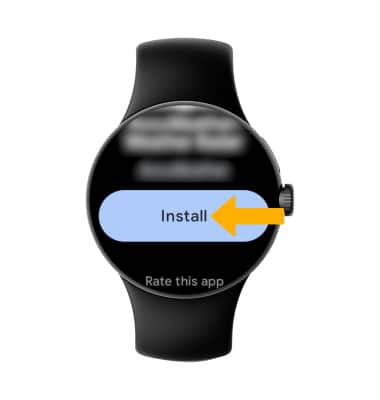
4. Select the desired app, then select Install.
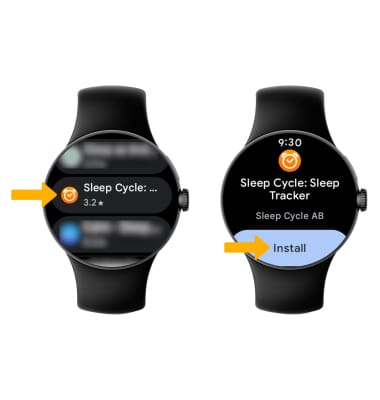
Download an app from your phone to your watch
From the Play Store app, select Apps on your phone to view apps available to download from your paired device.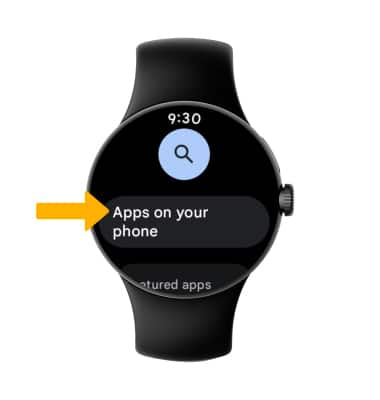
Download an app to your phone and watch simultaneously
1. From your connected device, select the Play Store app.
2. Select the Search field. Enter the desired app name, then select a suggestion or the Search key. 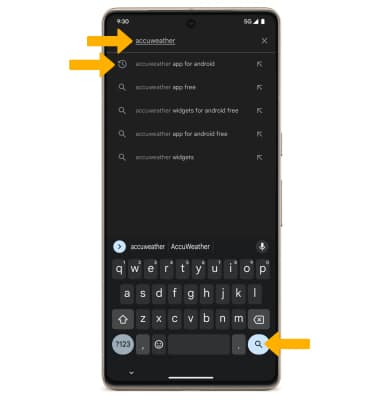
3. Select the drop-down icon, then select the desired devices you would like to download the app to. Select Install.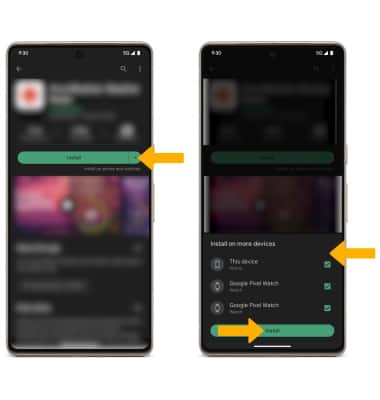
Uninstall an app on watch
UNINSTALL AN APP FROM YOUR WATCH: From the desired app in the Play Store, scroll to and select Uninstall.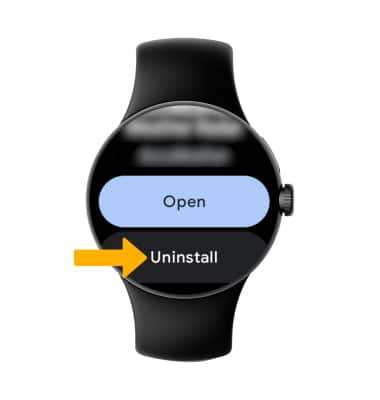
UNINSTALL AN APP USING THE GOOGLE WATCH APP: From the connect phone, navigate to the  Google Watch app > select Play Store > navigate to and select the desired app > Uninstall.
Note: You will be prompted to select Uninstall to confirm. Not all apps can be uninstalled.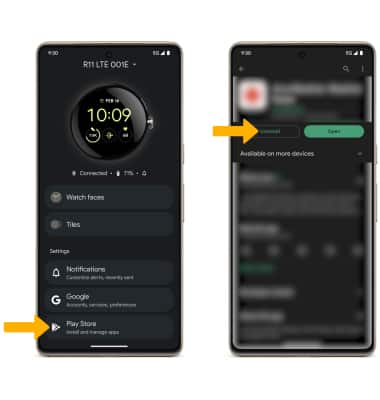
Reinstall an app
From the desired app in the Play Store, select Install.