
Overview | Orientation | Tasks

 Previous
|
Next
Previous
|
Next 
IP Phones
The IP Phones page lets you search for and view information about your company's IP Phones.
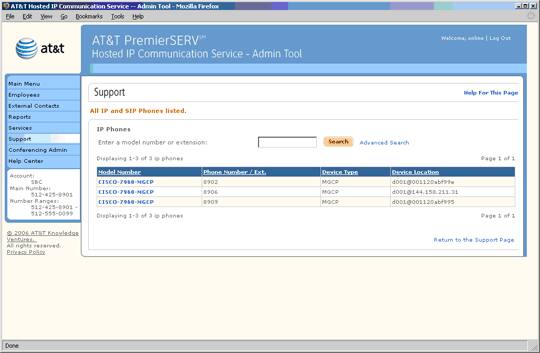
 IP (Internet Protocol) phones differ from analog phones in that they use ethernet cables to connect to your company's LAN, rather than using traditional phone cords to connect to the phone network. Essentially, IP phones are like mini-computers on the network, delivering all of the advanced functionality of HIPCS.
Enter a model number or extension in the Search field. When you select Search, a list of all IP Phones that match your search criteria will be displayed below.
Select an underlined column header to sort the entries by that column. Selecting the header again will reverse the order.
Select an IP Phone model number to view and edit information about the IP Phone.
Related Pages
Previous
|
Next