Get all the details on using your BGW830 to connect to the internet and troubleshoot common issues.
You’re viewing instructions for
Internet equipment
BGW830
BGW830
000118820-slctrgrp_bgw830
Status lights
Detailed light info
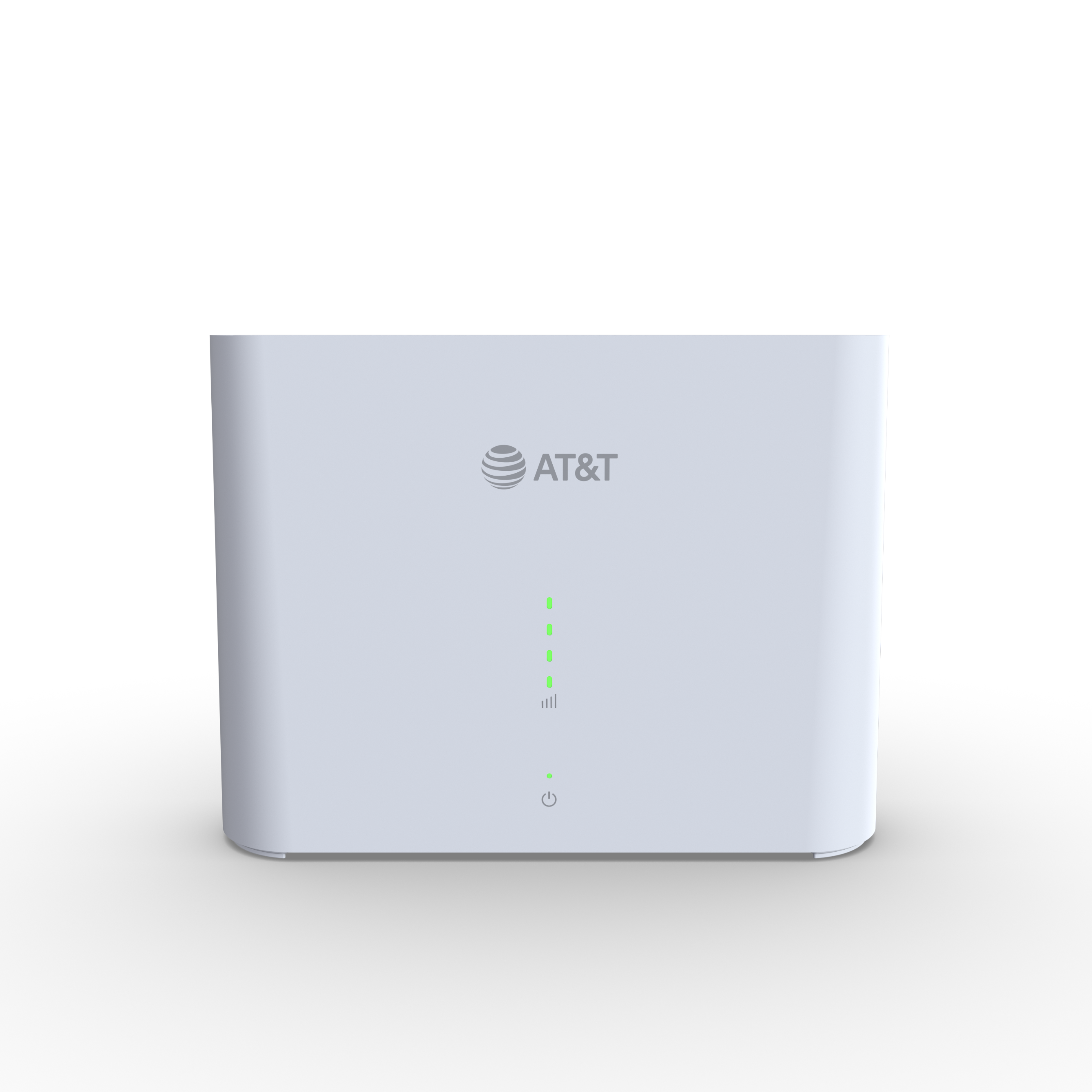
The front of your All-FiTM Hub has five lights: one power and four signal indicators. Review the PDF to get all info related to the lights on your hub.
Signal indicator lights
- Green (solid): The number of lights indicates your signal. If you only have one or two green lights, you should check for a better location.
- Amber (chasing): Your hub is looking for the best signal tower.
- Amber (blinking): Your hub has an error. Count the number of blinking lights to determine your error code.
- One (E004): No IP address
- Two (E400): SIM error
- Three (E403): Authentication failure
- Four (E013): DNS down
- Off: If all signal indicator lights are off and the power button is red, there’s no connection to the 5G cellular network (E405).
FYI: If you’ve found your error code, use the Error code FAQ to help find a fix.
Power light
- Green (solid): Your hub has power.
- Red (solid): Your hub has an error. Check the signal indicator lights to find the error code.
Wi-Fi button light
This light on the back of your hub and indicates the status of your Wi-Fi.
- Green means Wi-Fi is turned on.
- No light means Wi-Fi is turned off (2.4GHz, 5GHz, and guest network are off, wired devices will be connected). Press the button to turn it on.
Wi-Fi details
You can turn your Wi-Fi on or off by pressing the Wi-Fi button on the front of your All-Fi-Hub. Turning off Wi-Fi will disconnect all devices connected to your All-Fi Hub.
Find Wi-Fi info
Get your Wi-Fi name and password in three simple ways:
- All-Fi Hub: Look for a sticker with your Wi-Fi name and password.
- QR code: Use your mobile device to automatically connect devices to your hub.
- AT&T app: Open the AT&T app and select your home internet service. Tap Wi-Fi details.
Change Wi-Fi name or password in the AT&T app
- Open the AT&T app. Sign in, if asked.
- Tap Services and then Home internet.
- Select Wi-Fi network and then Edit.
- Update the name or password.
- Tap Save.
Once you finish making changes, reconnect your devices with the updated network info.
FYI: You can also update your Wi-Fi from your All-Fi Hub settings.
Manage Wi-Fi security
Your BGW830 comes with the security On. If you or someone else turned the security Off, learn how to turn it back on. Make sure you complete these steps on a device connected to your All-Fi Hub.
- Go to your All-Fi Hub settings.
- Select Home Network, then Wi-Fi.
- Enter the Device Access Code on your hub.
- Select Advanced Options.
- Do the following for both the 2.4GHz and 5GHz Wi-Fi Configuration sections:
- To use the default password, select WPA – Default Password from the Security options.
- To use a custom password or a password you changed, choose WPA from the Security options.
- In the WPA Version section, select WPA-2 for maximum compatibility.
- Enter a new 10-character password. Use a longer or more complex password for better security.
- Select Save.
- Update your Wi-Fi devices with your new password info.
FYI: Your 2.4 and 5.0GHz radios may have different network names and passwords. For the best Wi-Fi experience, we recommend you use the same Wi-Fi network name and password for both radios.
Advanced settings
Hide Wi-Fi info
Important: Before proceeding with this process, be sure to store your Wi-Fi network name and password in a safe location. You’ll have to manually enter them after your network name is hidden. Then, choose your equipment type to get detailed instructions.
- Go to your All-Fi Hub settings.
- Select Home Network, then Wi-Fi.
- Enter the Device Access Code on your hub.
- Choose Advanced Options in the Wi-Fi section.
- Scroll to the 2.4Hz Radio or 5.0Hz Radio section.
- Next to Hide Network Name, choose On from the dropdown.
- Select Save.
Mac address filtering
FYI: Make sure you have the MAC address for each device you want to access your Wi-Fi home network. Every device will have its own process to find its MAC address. Check your service documentation or manufacturer’s website for detailed instructions.
- Go to your All-Fi Hub settings.
- Select Home Network, then Mac Filtering.
- Enter the Device Access Code from your hub.
- Go to the MAC Filtering section and select Enabled for the radio you want to turn on MAC Filtering.
- In Mac Filter Entry, either:
- Select your devices’ MAC addresses
- Enter the MAC address in the Manual Entry field (repeat as needed)
- Choose Add.
- Select Save.
Port forwarding
Important: Use port forwarding with caution. It may allow others to access devices in your home without your knowledge.
- Go to your All-Fi Hub settings.
- Select the Firewall tab.
- Enter the Device Access Code on your hub.
- Select NAT/Gaming. Get a warning message? Go to the AT&T Port Forwarding tool to enable port forwarding on your account. Then, you can continue with these steps.
- Choose the application for port forwarding from the Service dropdown. If your application isn't in the list, or you’re setting up port forwarding for a device:
- Select Custom Services.
- Enter the app or device name in the Service Name area.
- Enter the port(s) you want to open for Global Port Range. We recommend that you create a separate service entry for each port rather than using a port range. In this case, the port number should be the same in the Global Port Range fields.
- Enter the port number used for the first Global Port Range section in Base Host Port.
- Choose the appropriate Protocol from the dropdown for the application or device you are adding.
- Select Add.
- Repeat for more applications and devices.
- Select Return to NAT/Gaming when all applications or devices have been added. Your new applications or devices will display in the Applications list.
- Choose the device name or IP address of the device of the device from Needed by Device to open the port.
- Select Add.
- Save your changes when you see your selections in Hosted Applications.