Secure My Device
Learn how to lock or unlock your display, set a screen security lock type (face, fingerprint, pin, password, pattern, or swipe), get your PUK code, or request your device be unlocked from the AT&T network.

In this tutorial, you will learn how to:
• Set a security lock
• Change lock type
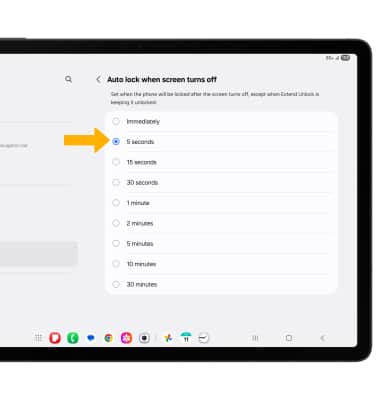
• Change lock screen timeout
• Set Lockdown mode
• Lock and unlock device
Set a security lock
 Settings icon.
2. Scroll to and select Lock screen, then select Screen lock and biometrics.
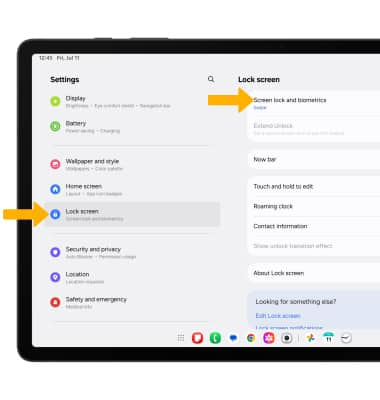
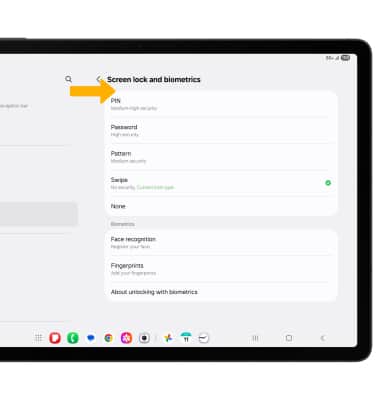
Note: To set up face recognition, select Face recognition then follow the prompts to complete set up. To set up Fingerprints, select Fingerprints then follow the prompts to complete set up. If you choose Pattern lock, you will have to factory reset your device if you forget your Pattern lock. Visit the Reset Device tutorial for alternate reset instructions.
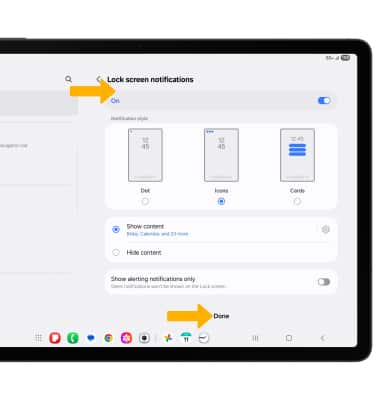
Change lock type
From the Lock screen screen, select Screen lock and biometrics > enter your current screen lock > select the new desired screen lock type and follow prompts to complete set up.
Change lock screen timeout
Note: If you have a screen lock set up, you will be prompted to enter your screen lock to continue.
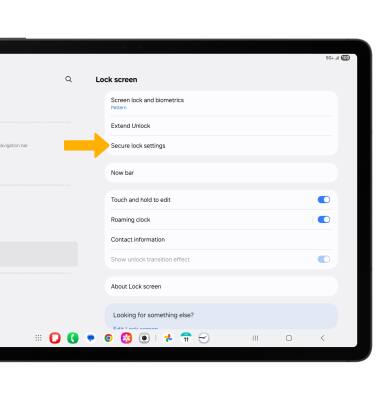
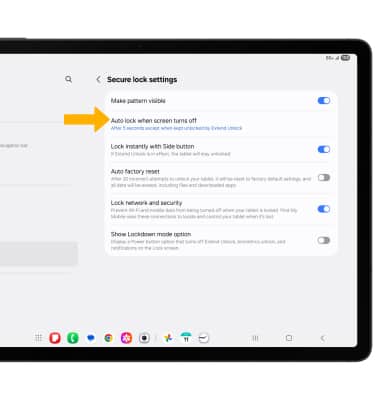
3. Select the desired timer duration.
Set Lockdown mode
ENABLE: Lockdown mode turns off Smart Lock, biometrics unlock and notifications on the Lock screen. From the Secure lock settings screen, select the Show Lockdown mode option switch. 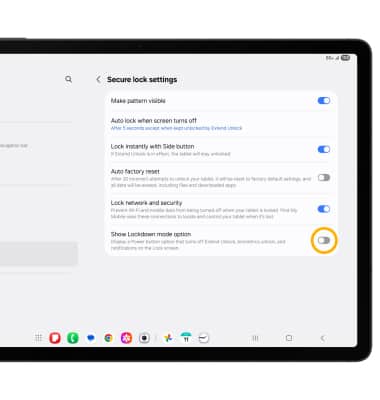
ACCESS: Press and hold the Side and Volume down buttons, then select Lockdown mode.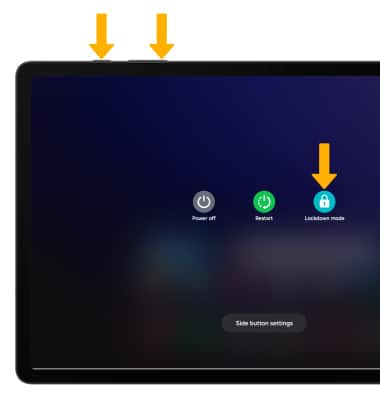
Lock and unlock device
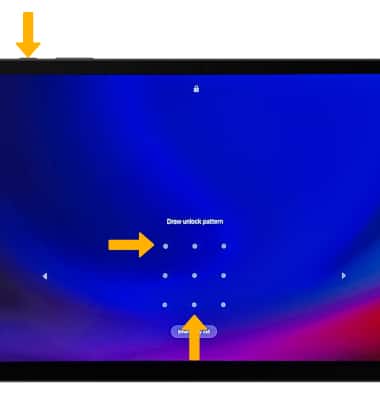
• LOG IN USING THE SECURITY LOCK: To use face recognition, raise your phone in front of your face to unlock your device. To unlock your phone using your fingerprint, place your finger on the fingerprint sensor. To use your backup screen lock, from the lock screen swipe up from the bottom of the screen, then enter your backup screen lock.
• LOCK DEVICE: Press the Side button located on the top of the device.