In this tutorial, you will learn how to:
• Create a contact
• Edit a contact
• Delete a contact
Create a contact
1. From your connected smart phone, navigate to and select the  AT&T amiGO™ app.
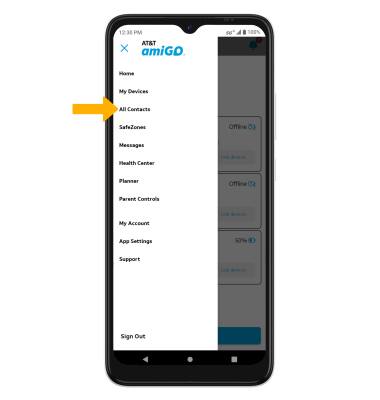
2. Select the  Menu icon, then select All contacts.
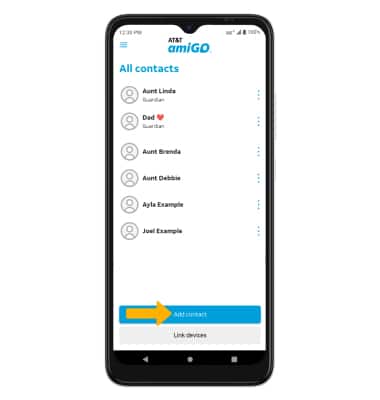
3. Select Add Contact.
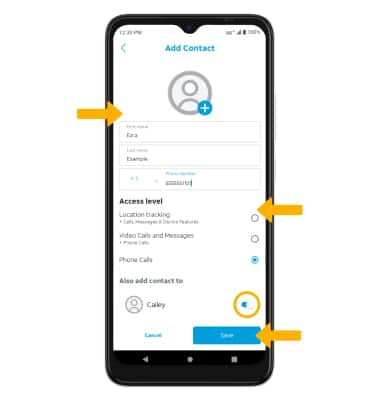
4. Enter the contact information as desired, then select the desired access level. Scroll to and select the switch next to the desired device(s) to add the contact to. When finished, select Save.
Edit a contact
1. From the all contacts screen, select the desired contact.
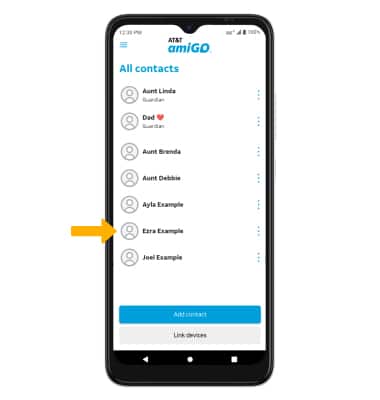
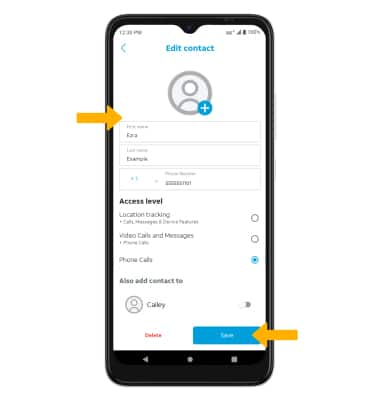
2. Edit the contact information as desired, then select Save.
Delete a contact
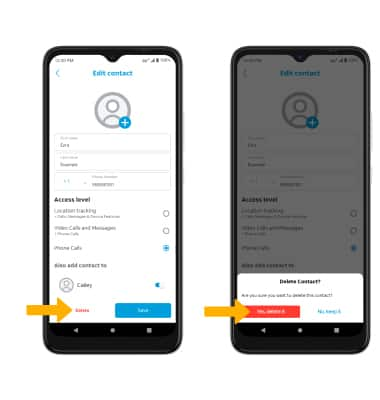
From the edit contact screen, select Delete. Select Yes, delete it to confirm.