In this tutorial, you will learn how to:
• Enable DeX Mode
• Access DeX Mode settings
• Disable DeX Mode
Enable DeX Mode
Swipe down from the upper right corner of the screen, then swipe down from the icon section of the quick settings screen to access additional buttons. Select the DeX icon.
Note: If it is your first time accessing DeX, review the Welcome to New DeX prompt then select OK.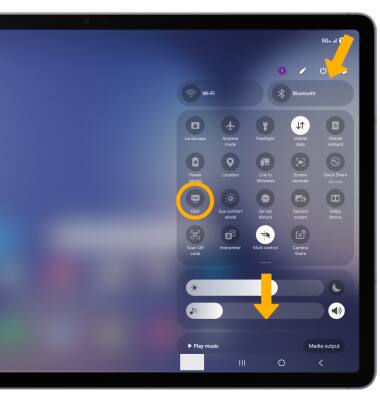
Access DeX Mode settings
1. Swipe down from the upper right corner of the screen, then select the  Settings icon.
2. Select Connected devices, then select Samsung DeX.
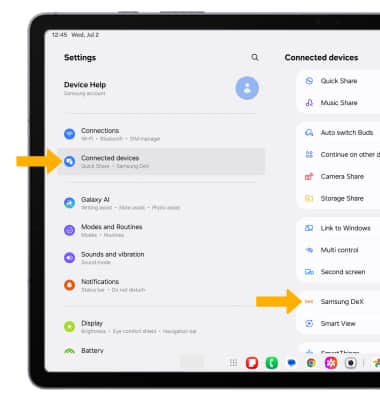
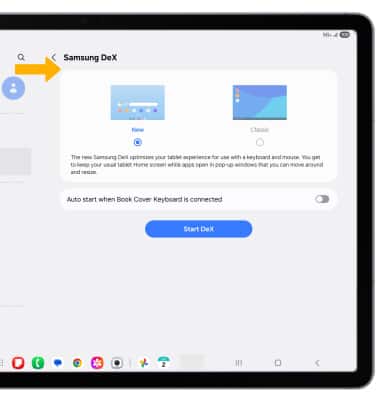
3. Edit Samsung DeX settings as desired.
Disable DeX Mode
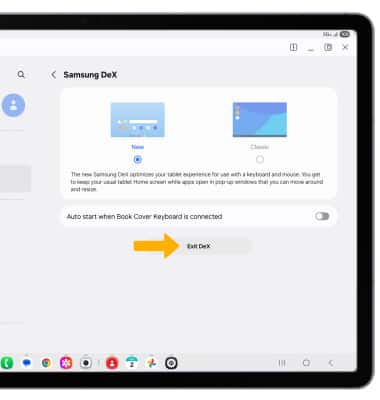
From the Samsung Dex screen, select Exit DeX.
Note: Alternately, from the home screen, swipe down from the upper right corner of the screen, then select the DeX icon.