In this tutorial, you will learn how to:
• View connected devices from management website
• View connected devices from mobile router
View connected devices from management website
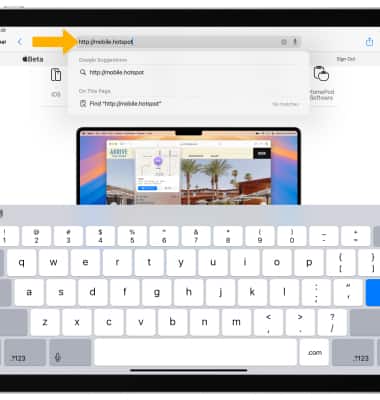
1. From your device's web browser, go to http://mobile.hotspot.
Note: Ensure that your device is connected to the Franklin A50's Wi-Fi network. For more information, please see the Connect Devices to Wi-Fi or Connect PC or Mac to Wi-Fi tutorials.
Note: Ensure that your device is connected to the Franklin A50's Wi-Fi network. For more information, please see the Connect Devices to Wi-Fi or Connect PC or Mac to Wi-Fi tutorials.
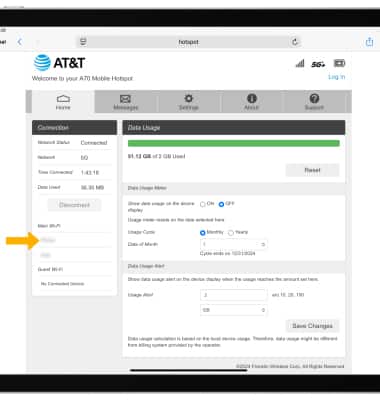
2. View the connected devices on the left side of the web page.
View connected devices from mobile router
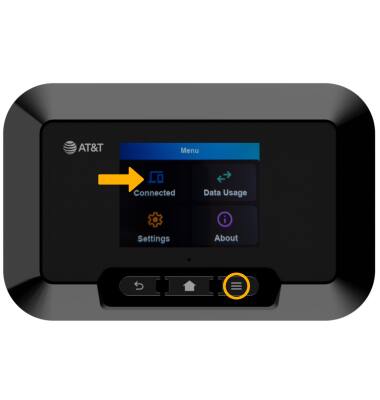
1. From the device home screen, press the Menu button then select Connected.
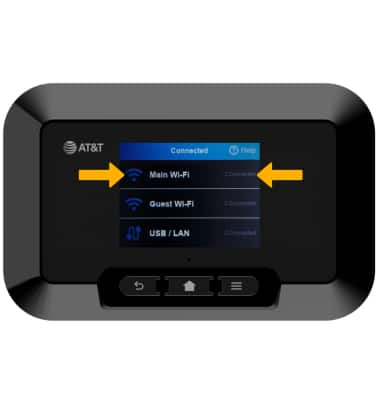
2. The amount of connected devices will be displayed on the right of each connection type. To view a connected device's details, select the desired connection type.
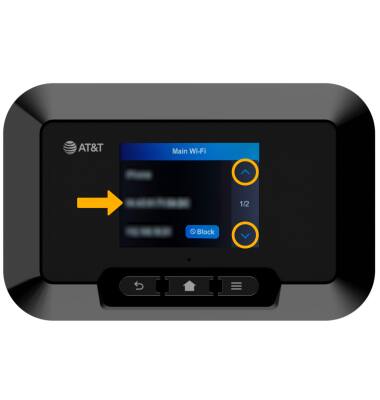
3. The connected device's details will be displayed. If multiple devices are connected, select the up or down arrow to view other device(s).
2. The amount of connected devices will be displayed on the right of each connection type. To view a connected device's details, select the desired connection type.
3. The connected device's details will be displayed. If multiple devices are connected, select the up or down arrow to view other device(s).