The AT&T amiGO™ Jr. Phone has limited access to most battery conserving settings. To gain access to these settings, the parent must first
 In this tutorial, you will learn how to:
• Adjust screen brightness
• Set a shorter screen timeout
Use the original charger and battery to maintain optimal battery performance over the life of your device. The battery comes partially charged. Battery life and charge cycles vary by use and settings. This device supports wireless charging. For charging and use times, see the Specifications tutorial.
Adjust screen brightness
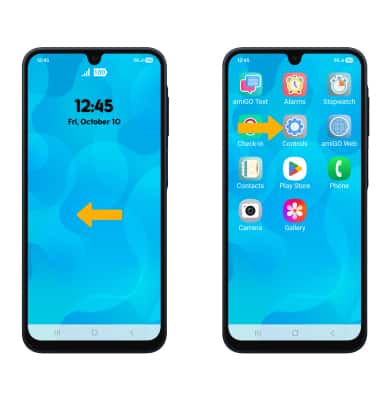
1. To reduce screen brightness, swipe left to access the apps tray, then select the Controls app.
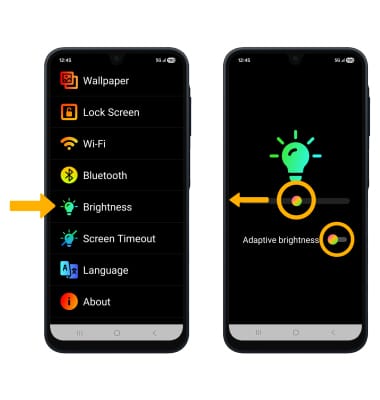
2. Select Brightness. Select and drag the Brightness slider left to lower the screen brightness manually. To enable or disable adaptive brightness, select the Adaptive brightness switch.
Set a shorter screen timeout
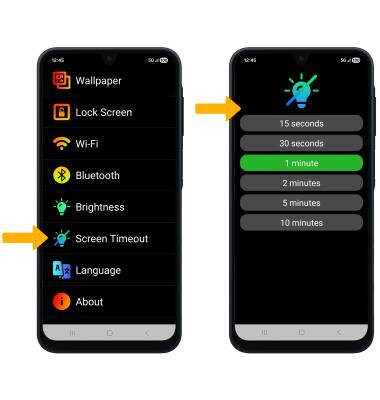
To set a shorter screen timeout, from the Controls screen, select Screen Timeout. Select the desired option.