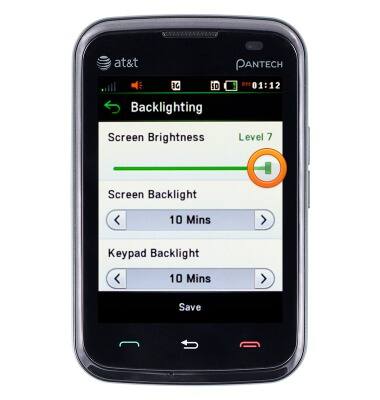
Adjust the brightness manually or enable the automatic feature to give you the best brightness setting. Increasing your brightness will decrease the battery life, and vice versa if the brightness is low.
INSTRUCTIONS & INFO
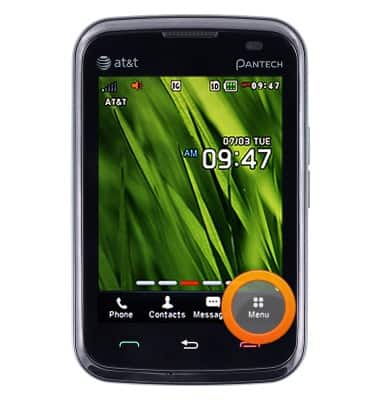
From the Home Screen, tap Menu.
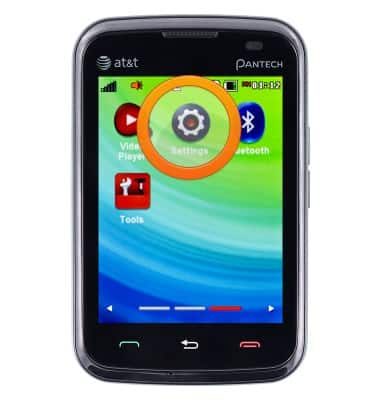
Scroll to then tap Settings.
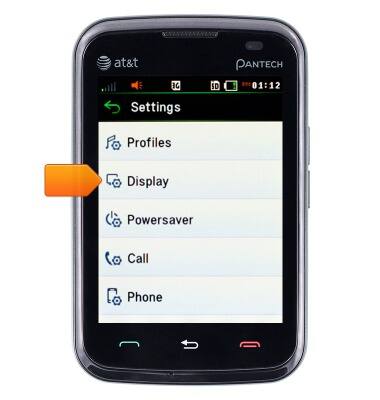
Scroll to then tap Display.
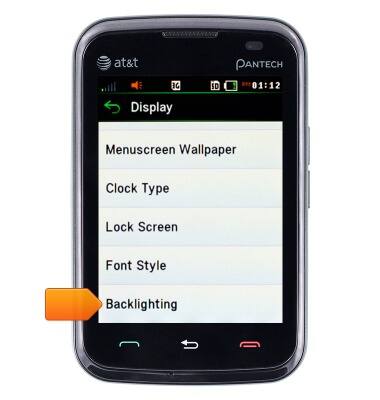
Scroll to then tap Backlighting.
Touch and drag the Screen Brightness slider as desired.
We use cookies to help enhance your experience on our site and for analytics. We also may use cookies for marketing purposes. You can manage your preferences and opt out of the sharing for targeted advertising and sales of cookie data.
Learn more about our approach to privacy at att.com/privacy.