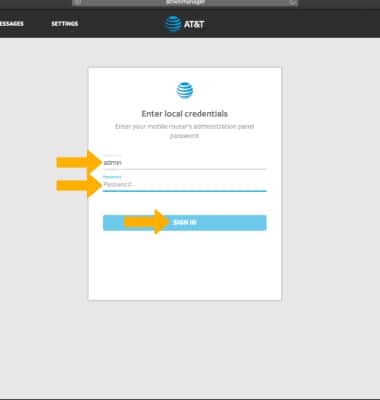
1. From your device's web browser, go to http://attwifimanager. Enter your Username and Password, then click SIGN IN.
Note: Ensure that your device is connected to the Netgear Nighthawk's Wi-Fi network. For more information, please see the Connect Devices to Wi-Fi or Connect PC or Mac to Wi-Fi tutorials.
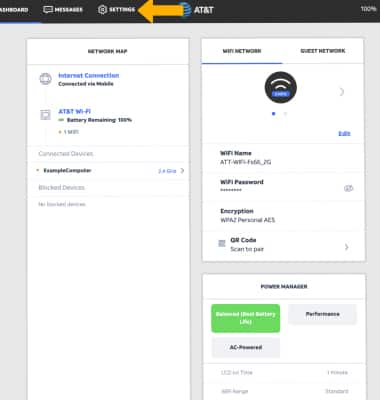
2. Click SETTINGS at the top of the page.
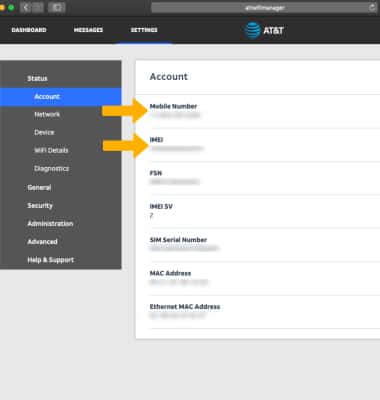
3. The device’s Mobile Number and IMEI Number will be displayed.
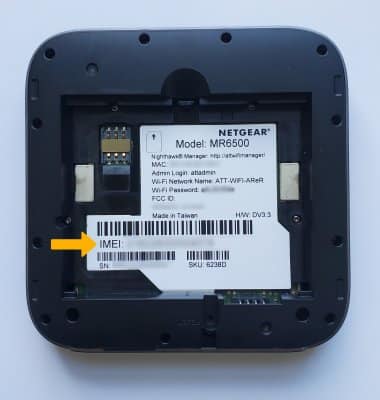
4. Alternatively, the IMEI and Serial Number can be found under the battery on the back of the device.
Note: For more information on how to remove the battery, see the Device Assembly tutorial.