
Overview | Orientation | Tasks

 Previous
|
Next
Previous
|
Next 
View/Edit Keys
You can assign specific functions to programmable keys on your IP phone.
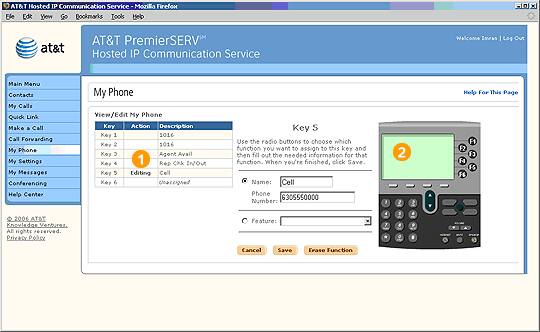
 You can program a key on your IP phone with one of three functions:
- A speed dial number, which allows you to dial the phone number by pressing a single key.
- A star code, such as *69, which provides a short cut to a common HIPCS feature.
- A single HIPCS feature, such as Group Call Pickup or Call Center check-in.
To assign a speed dial number or star code to the key, fill in first set of fields.
To assign a single feature to the key, choose from the pull-down menu.
Highlights

The action column indicates the key you are working with.

This sample IP phone image may not look like the one you see in your web portal. HIPCS will display the specific IP phone you are using.
Related Pages
Previous
|
Next