
Overview | Orientation | Tasks

 Previous
|
Next
Previous
|
Next 
My Phone
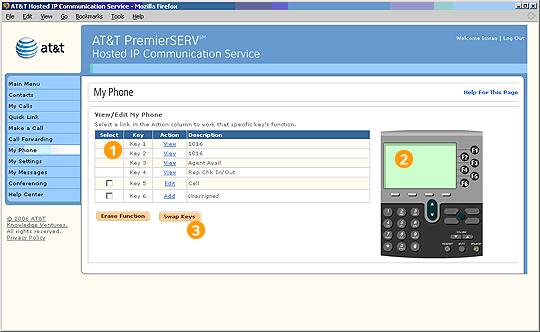
The My Phone page lets you modify your IP phone's programmable keys to fit your preferences.
 Your IP (Internet Protocol) phone differs from an analog phone in that it uses an ethernet cable to connect to your company's LAN, rather than using a traditional phone cord to connect to the phone network. Essentially, your phone is like a mini-computer on your network, delivering all of the advanced functionality of HIPCS.
Select the checkbox of the programmable key with a function you wish to erase or swap with another key's.
Keys that you can customize will display the Add button. Select Add to customize the key's function.
Highlights

Typically, the first two programmable keys on your IP phone have been locked by your Office Administrator for management purposes. You can view information about each key by selecting View, but you cannot edit the keys' functions.

This sample IP phone image may not look like the one you see in your web portal. HIPCS will display the specific IP phone you are using.

"Swap Keys" switches the functions of the two keys you select.
Related Pages
Previous
|
Next