
Overview | Orientation | Tasks

 Previous
|
Next
Previous
|
Next 
Task: View Call Logs
Steps
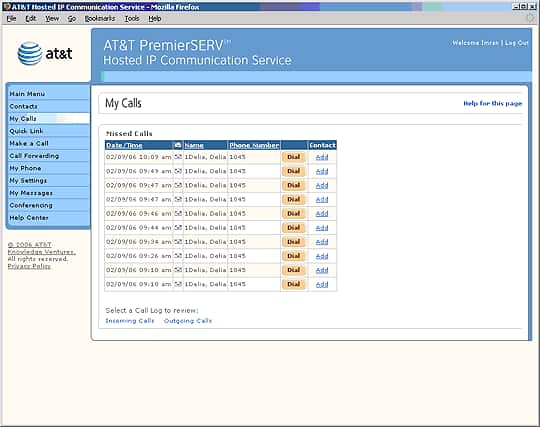
There are three types of call logs in HIPCS: Missed Calls, Incoming Calls, and Outgoing Calls. To view one of these logs:
Select your desired call log from the My Calls page (your Missed Calls log is also displayed on the HIPCS main menu screen).

Once you are viewing a call log, you can go view a different log by selecting the appropriate button below the call list.
Related Pages
Previous
|
Next