
Overview | Orientation | Tasks

 Previous
|
Next
Previous
|
Next 
Task: Add Personal Contact
Steps

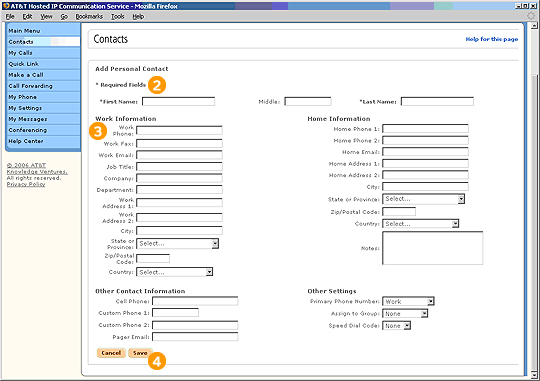
Select "Add a New Contact" from the Contacts page or the HIPCS Main Menu.

Enter information into the required fields (First Name, Last Name, and Work Phone).

Enter any other information you have about the Contact. You don't have to enter information into every field, but it will be helpful to be as complete as you can.

Select Save to add the new Contact. You can edit the information you entered at any time by selecting the Contact's name from anywhere in HIPCS.
Related Pages
Previous
|
Next