
Overview | Orientation | Tasks

 Previous
|
Next
Previous
|
Next 
Add and Edit External Contacts
Entering new External Contacts into HIPCS is easy. The first time you enter information about an External Contact, you will see the Add/Edit Contact page.
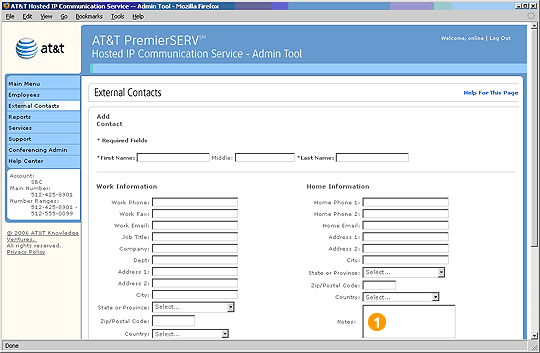
 Once you have entered an External Contact into HIPCS, you can select the Contact's name from anywhere in the Admin Tool to view and edit the Contact's information.
First Name and Last Name are required fields. You must enter information into all of these fields.
Tip: You don't have to enter information into every field, but it will be helpful to be as complete as you can.
Highlights

The Notes section is helpful for miscellaneous information, such as special package delivery instructions or times of day when the Contact can be reached at home.
Previous
|
Next