
Overview | Orientation | Tasks

 Previous
|
Next
Previous
|
Next 
Add and Edit External Contacts, continued
Highlights

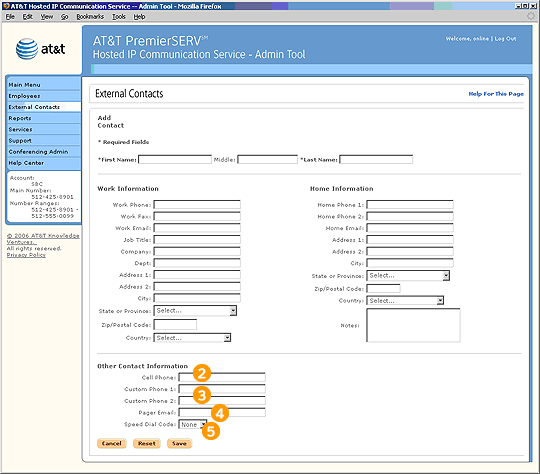
Cell phone is the same as a mobile phone. Enter the External Contact's cell phone number here.

Custom phone numbers are other phone numbers that the External Contact uses often, such as a conference room phone or pager.

Some pagers have an email address to which you can send a text message to the External Contact. Enter this information here.

Assigning a Company Speed Dial code means that everyone in the company will be able to dial this External Contact by dialing a particular code, such as *03.
Related Pages
Previous
|
Next