
Overview | Orientation | Tasks

 Previous
|
Next
Previous
|
Next 
Change Password
From this page you can change your own password and security question.
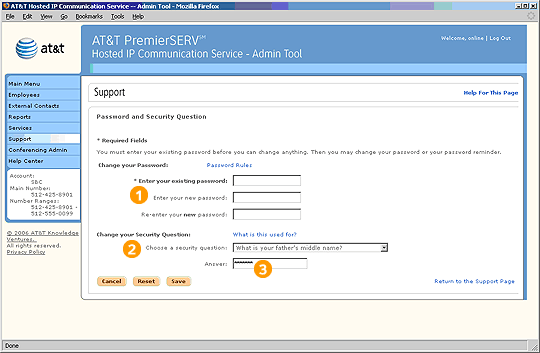
Enter your existing password before making any changes.
Enter your new password twice to make sure it is correct.
Choose a security question from the pull-down menu. Remember to choose a personal that only you can answer.
Highlights

You need a password every time you log in to the Admin Tool.

If you forget your password, the security question is a way for HIPCS to verify your identity. If you answer it correctly, HIPCS will issue you a new password via your work email address.

Make your answer simple and easy to remember.
Related Pages
Previous
|
Next