
Overview | Orientation | Tasks

 Previous
|
Next
Previous
|
Next 
Task: Log In
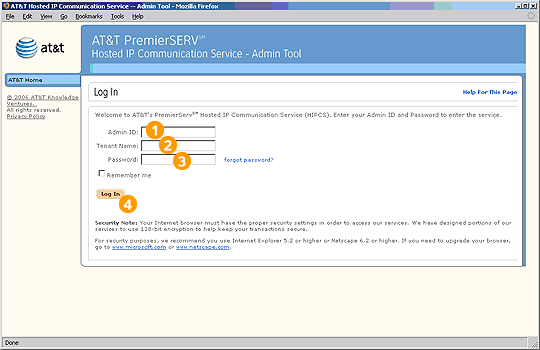
Steps

Enter your Admin ID.

Enter your company's Tenant Name, which is assigned to your company by AT&T and cannot be changed.

Enter your password. Remember that passwords are case sensitive.

Select Log In. You will go to the Admin Tool Main Menu screen.
Related Pages
Previous
|
Next