
Overview | Orientation | Tasks

 Previous
|
Next
Previous
|
Next 
Task: Search Employees or External Contacts
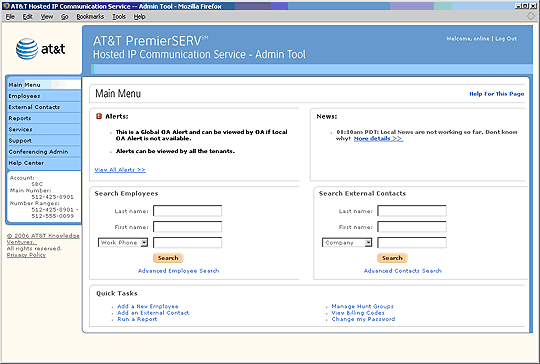
You can search for both Employees and External Contacts on the Admin Tool main menu screen:
Steps

Make sure you are using the correct column: search for Employees on the left and External Contacts on the right.

In the correct column, enter the first name and/or last name of the Employee or Contact you're searching for.

Use the pull-down menus below the name fields to add additional criteria to your search, such as work phone number or company name.

Select Search to conduct the search. Note: Advanced Search gives you additional search criteria, allowing you to conduct more advanced searches.
Related Pages
Previous
|
Next