
Overview | Orientation | Tasks

 Previous
|
Next
Previous
|
Next 
Task: Run a Report
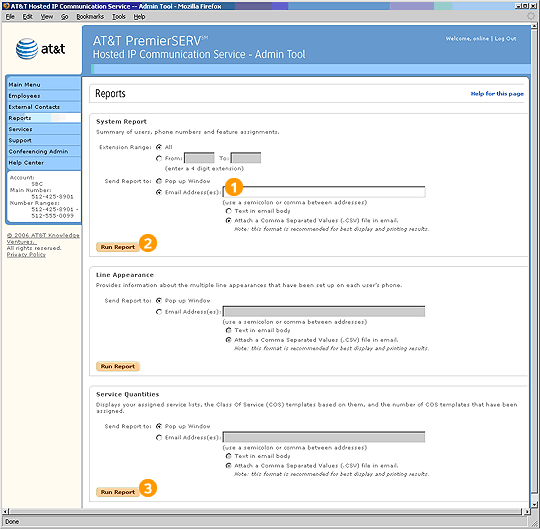
To run a System Summary Report:

Enter the email address to which you would like the report sent. To send the report to more than one address, separate the addresses with semicolons or commas.

Select the first Run Report button. The report will be sent to the email address(es) you entered.
To run a Service Quantities Report:

Select the final Run Report button. The report will be displayed in the Admin Tool.
Related Pages
Previous
|
Next