
Overview | Orientation | Tasks

 Previous
|
Next
Previous
|
Next 
Reports
Reports tell you a great deal of helpful information about the HIPCS system you are managing.
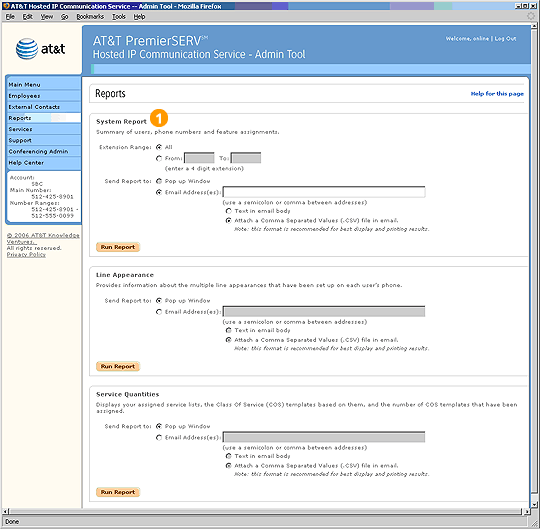
The Service Quantities Report is viewable directly from the web portal. Select "Run Report" to view your company's service quantities.
The System Summary Reports are not viewable in the web portal. You must enter an email address to which the Admin Tool will send the report, then select Run Report.
Email a report to more than recipient by typing a semicolon or comma between the email addresses.
When you send a report to an email address, you can specify either standard email text or a ".CSV" file. The .CSV format is supported by spreadsheet applications, such as Microsoft Excel®.
Highlights

A service quantity is the amount of a specific feature package that your company ordered from AT&T. The feature package options are "Basic," "Basic Plus," and "Complete." This report will tell you how many of each package your company has purchased.
Related Pages
Previous
|
Next