
Overview | Orientation | Tasks

 Previous
|
Next
Previous
|
Next 
Task: Add a New Hunt Group
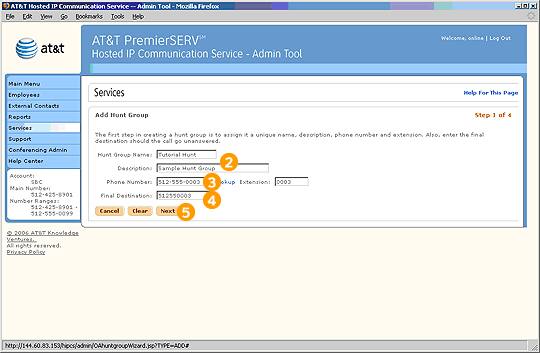
Step 1 of 4

Select Add Hunt Group from the Hunt Groups page.

Enter a Name and Description for the Hunt Group.

Enter a phone number and extension that all incoming calls will be directed to first.

Enter a final destination phone number that will answer the call if all other Hunt Group members are unavailable (perhaps an office voicemail number).

Select Next to proceed to step 2.
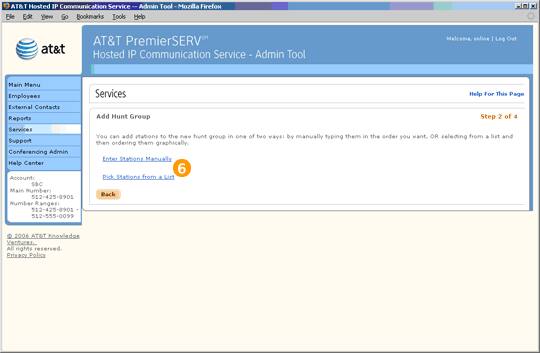
Step 2 of 4

Choose whether you would like to add Employees to the Hunt Group manually, or choose them from a list of available stations.
Previous
|
Next