
Overview | Orientation | Tasks

 Previous
|
Next
Previous
|
Next 
Task: Add a New Hunt Group, continued
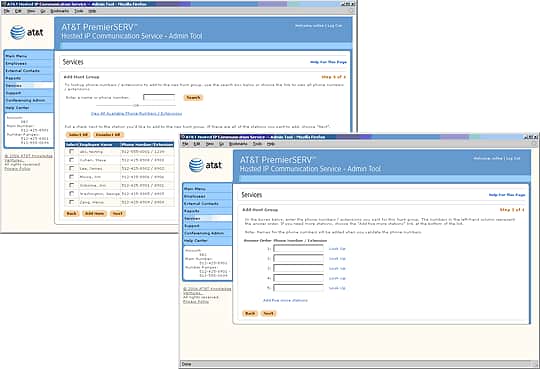
Step 3 of 4

Depending on your choice in step 2, either enter the name or phone number of the Employee you wish to add, or select Employees from a list of available stations.
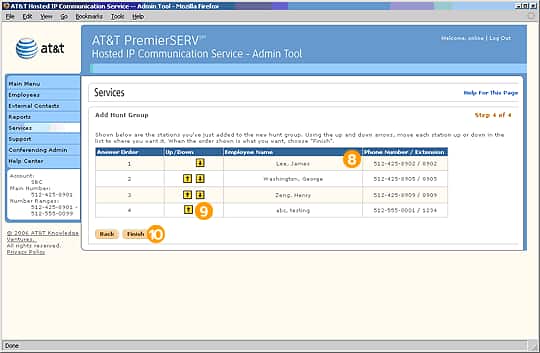
Step 4 of 4

Verify the names and phone numbers of the Employees you've added to the Hunt Group.

If necessary, use the yellow up and down arrows to change the answer order of the Hunt Group.

Select Finish to save the new Hunt Group.
Related Pages
Previous
|
Next