
Overview | Orientation | Tasks

 Previous
|
Next
Previous
|
Next 
Task: Add a New Call Group
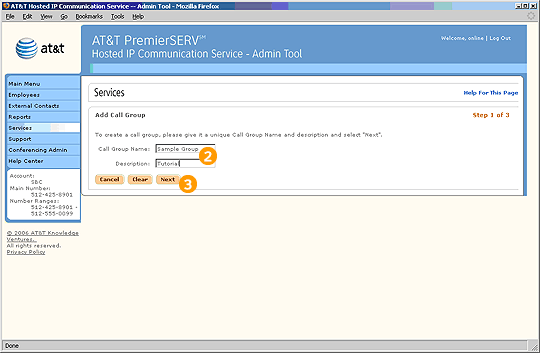
Step 1 of 3

Select Add Call Group from the Call Groups page.

Enter a Name and Description for the Call Group.

Select Next to proceed to step 2.
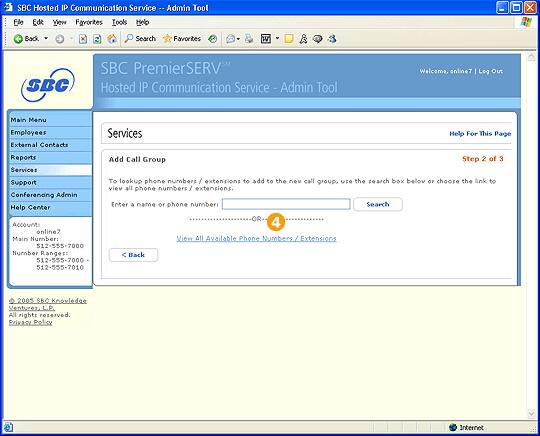
Step 2 of 3 (first screen)

Either enter the name or phone number of the Employee you wish to add, or select "View All Available Phone Numbers/Extensions."
Previous
|
Next