
Overview | Orientation | Tasks

 Previous
|
Next
Previous
|
Next 
Task: Add a New Phone Template
If a new phone template is enabled after the tenant was created, the Office Administrator will need to manually add this new template to their phone template list. The phone template list will not be updated automatically for existing tenants.
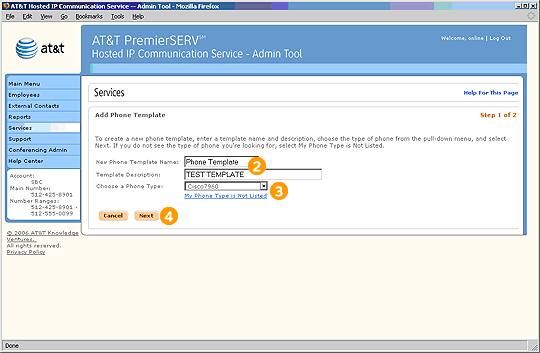
Step 1 of 2

Select "Add a New Phone Template" from the Phone Templates page.

Enter a Name and Description for the Phone Template.

Use the pull-down menu to choose the phone type you wish to assign to this Phone Template.

Select Next to create the new Phone Template. You will be taken to a page where you can edit the Template's phone keys.
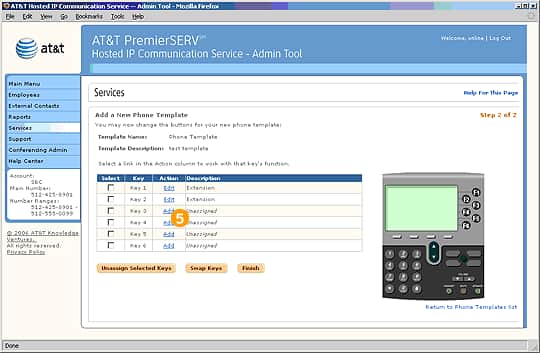
Step 2 of 2

Select "Add" or "Edit" next to the appropriate key.
Previous
|
Next