
Overview | Orientation | Tasks

 Previous
|
Next
Previous
|
Next 
Task: Add a New Phone Template, continued
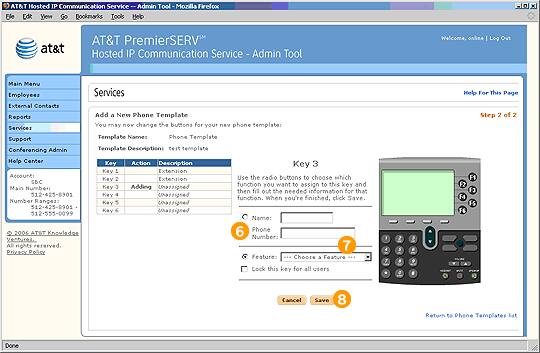
Step 2 of 2, Individual Key

Choose whether you want to assign a phone number or a feature to the key by selecting the appropriate radio button.

If you are assigning a phone number to the key, enter the Contact's name and phone number. If you are assigning a feature to the key, choose a feature from the pull-down menu.

Select Save to add the phone key.
Related Pages
Previous
|
Next