
Overview | Orientation | Tasks

 Previous
|
Next
Previous
|
Next 
Task: Add a New Call Center
Steps

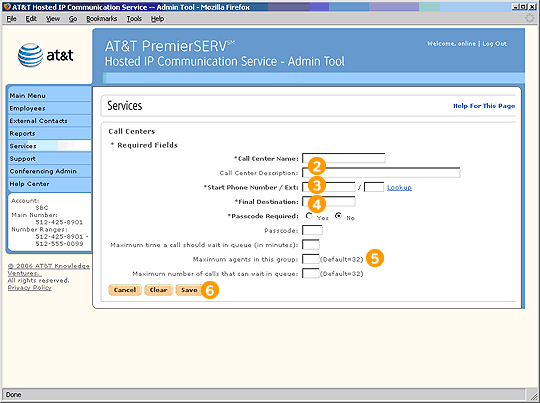
Select "Add a New Call Center" from the Call Centers page.

Enter a Name and Description for the Call Center.

Enter a phone number and extension that all incoming calls will be directed to first.

Enter a final destination phone number that will answer the call if all other Hunt Group members are unavailable (perhaps an office voicemail number).

Enter all other relevant information.

Select Save to create the new Call Center.
Related Pages
Previous
|
Next