
Overview | Orientation | Tasks

 Previous
|
Next
Previous
|
Next 
Task: Change Registration Password
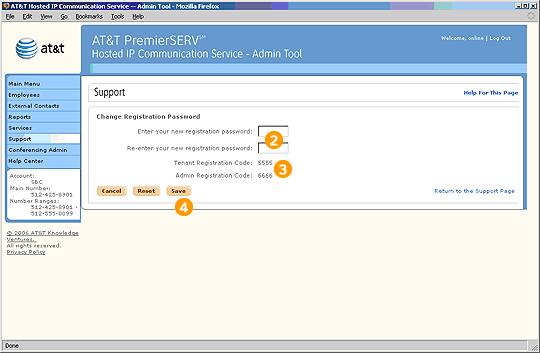
The registration password is the password you enter when completing various Office Administrator tasks (such as creating Group Administrators, assigning extensions to phones, etc.). To change it:
Steps

Select "Change Registration Password" on the Support page.

Enter and confirm your new registration password.

Verify your Tenant Registration Code and Admin Registration Code.

Select Save to save your new registration password.
Related Pages
Previous
|
Next