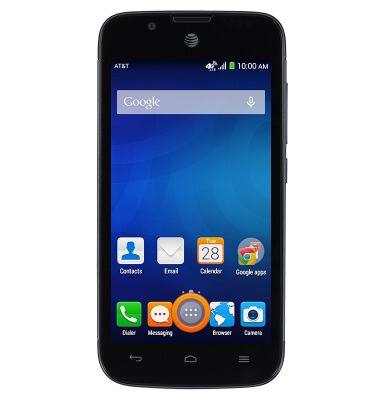
- From the home screen, tap the Apps icon.
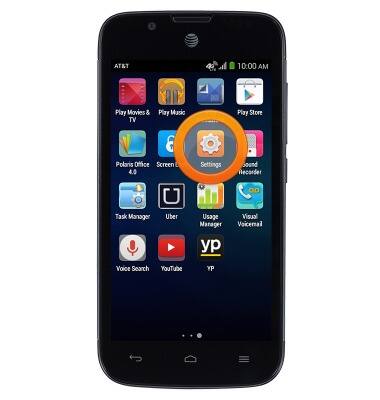
- Swipe to, then tap Settings.
- Swipe to "SYSTEM", then tap Accessibility.
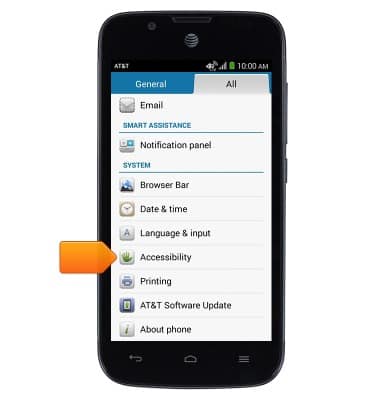
- Tap the desired options.
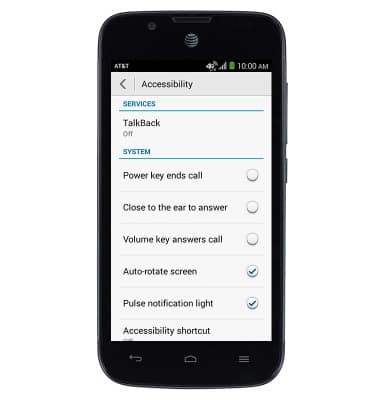
Accessibility
AT&T Fusion 3 (Y536A1)
Accessibility
Turn on features such as TalkBack, Hearing aid mode, and more.
INSTRUCTIONS & INFO