
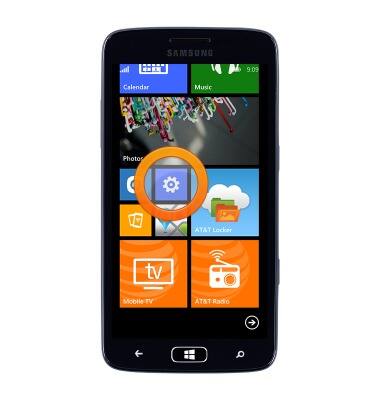
- From the home screen, scroll to, then tap the Settings icon.
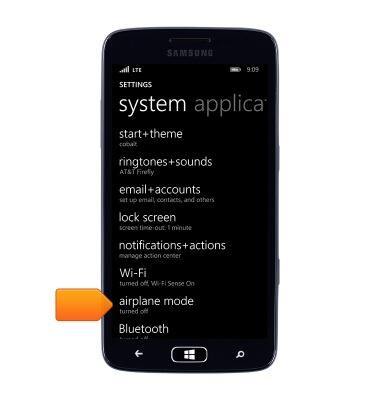
- Tap airplane mode.
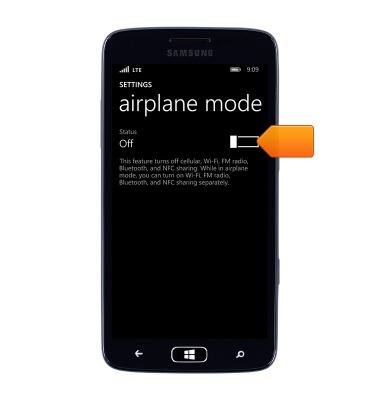
- Tap the Airplane mode switch to turn On or Off.
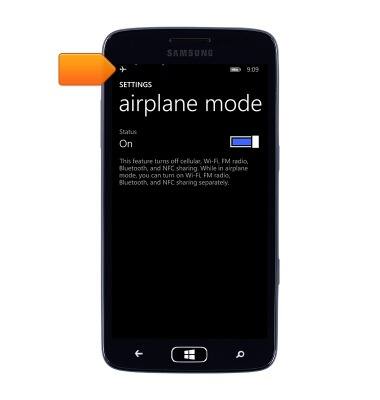
- When Airplane mode is turned On, the Airplane mode icon will be displayed in the notification bar.
Airplane mode
Samsung ATIV S Neo (I187)
Airplane mode
Learn how to turn Airplane mode on and off.
INSTRUCTIONS & INFO