
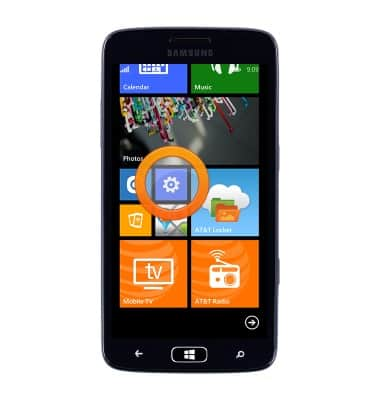
- From the Start screen, scroll to, then tap the Settings icon.
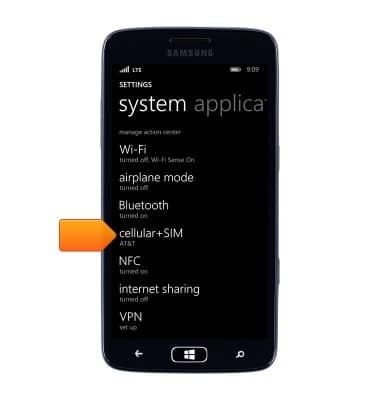
- Scroll to, then tap cellular+SIM.
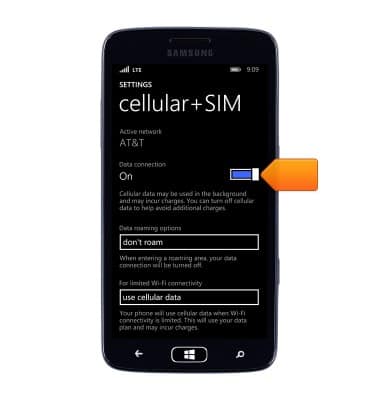
- Tap the Data connection switch to turn cellular data On or Off.
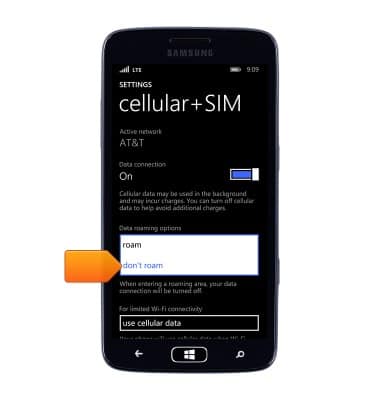
- Tap the Data roaming options field.
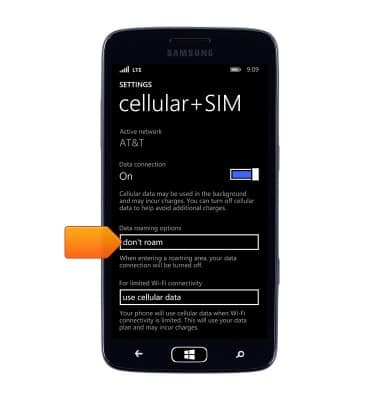
- Tap the desired option.
Mobile network status
Samsung ATIV S Neo (I187)
Mobile network status
View signal strength, network connection status, and enable/disable mobile network and international roaming.
INSTRUCTIONS & INFO