- Accessiblity features allow you to improve the usability of your device for users affected by impaired vision or hearing, cognitive difficulty, or reduced dexterity.
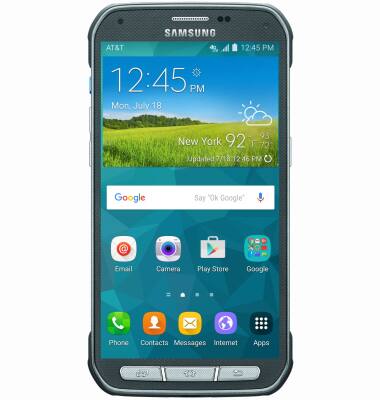
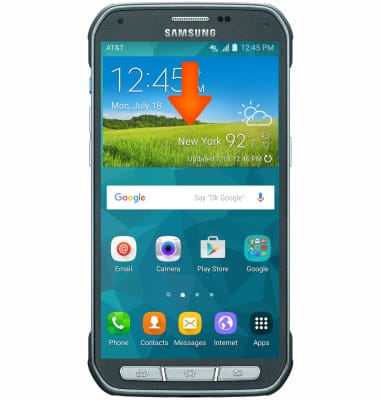
- From the home screen, swipe down from the Notification bar.
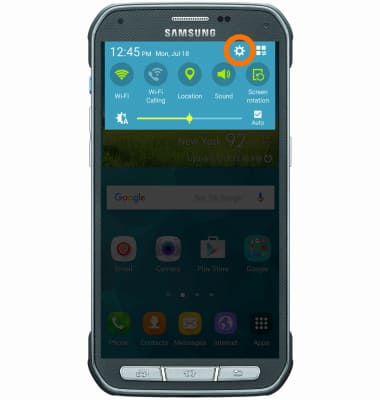
- Tap the Settings icon.
- Swipe to the Personalization section, then tap Accessibility.
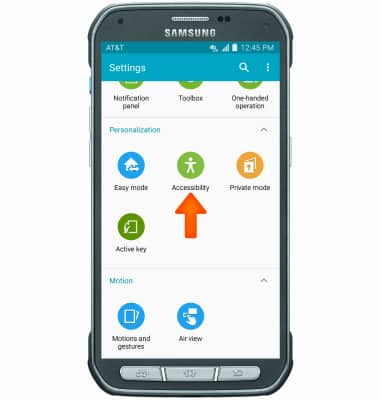
- Tap the desired option.
Note: For this demonstration, 'Vision' was used.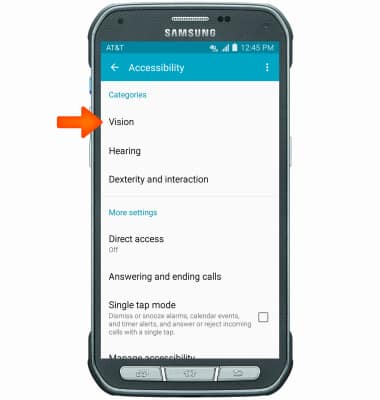
- Tap the desired option.
Note: For this demonstration, 'Talk Back' was used.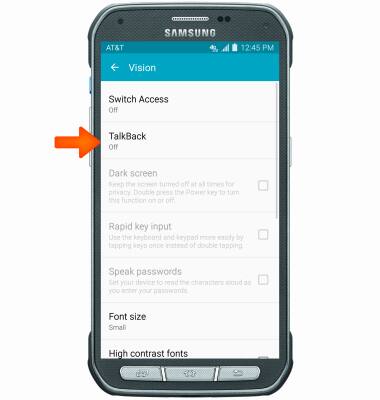
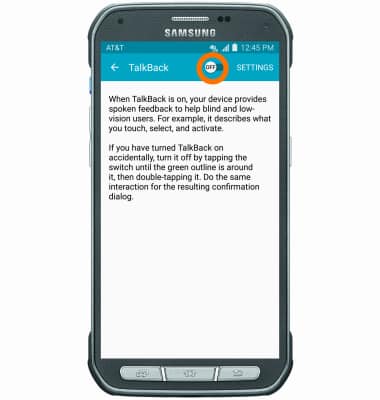
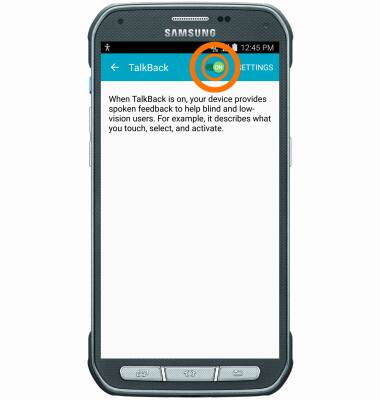
- Tap the TalkBack on toggle to turn the feature on.
- Tap OK.
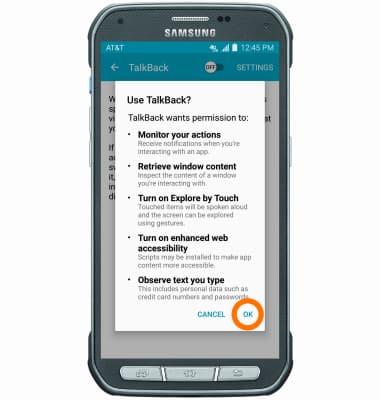
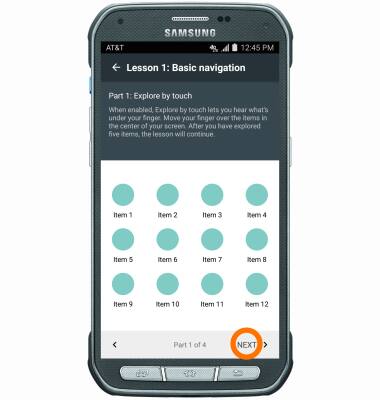
- Follow tutorial to set up TalkBack, continue by tapping NEXT.
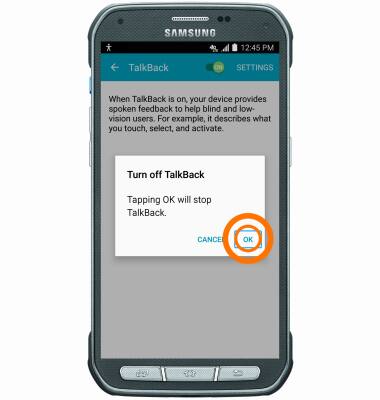
- To turn TalkBack off, go to Settings > Accessibility > Vision > Talkback. Double-tap the TalkBack toggle to turn off.
- Double-tap OK.
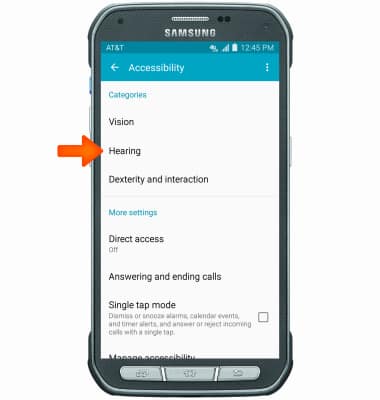
- To turn Flash alerts/notifications on/off, from the Accessibility page, tap Hearing.
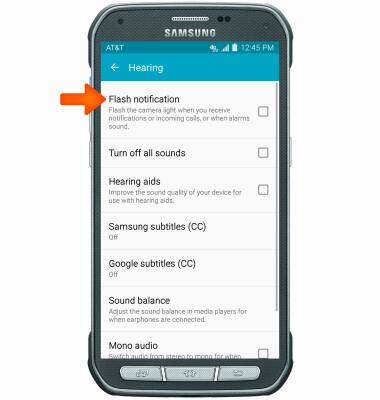
- Tap Flash Notfication
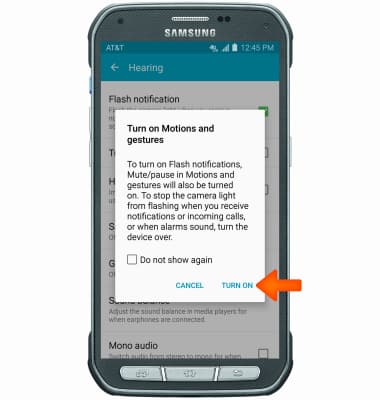
- Tap Turn ON.
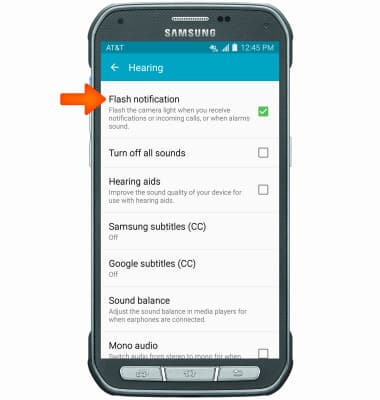
- To turn off Flash notification, from the hearing page, tap Flash notification.
Accessibility
Samsung Galaxy S5 Active (G870A)
Accessibility
Turn on features such as TalkBack, Hearing aid mode, and more.
INSTRUCTIONS & INFO

For more information about accessibility features and TTY compatibility, see AT&T Accessibility.