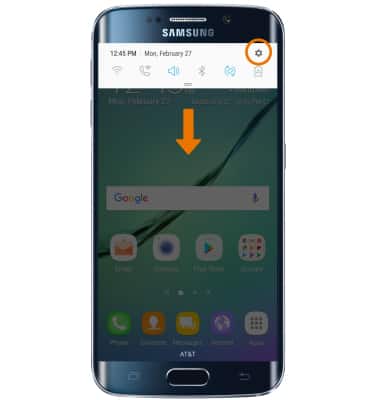
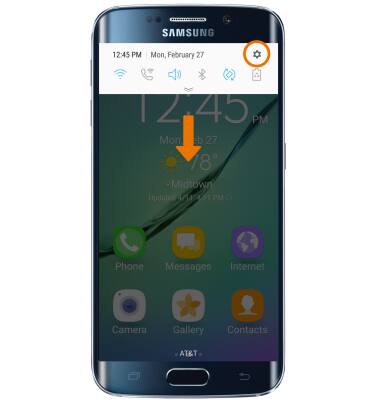
- For a simpler home screen, use Easy mode. Easy mode provides an easier interface with a simpler layout and larger font size. Swipe down from the Notification bar, then select the Settings icon.
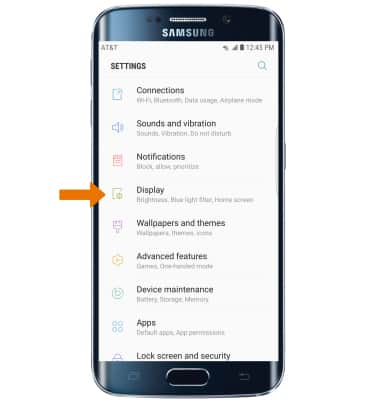
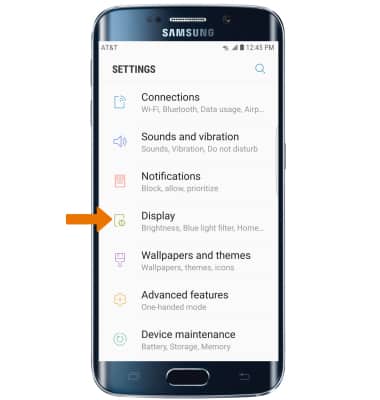
- Select Display.
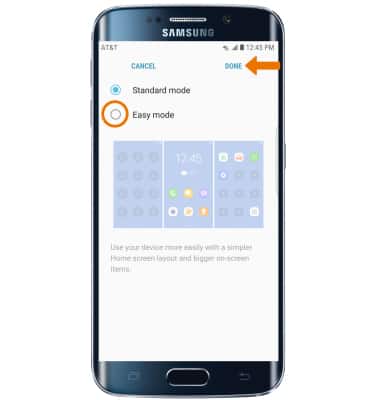
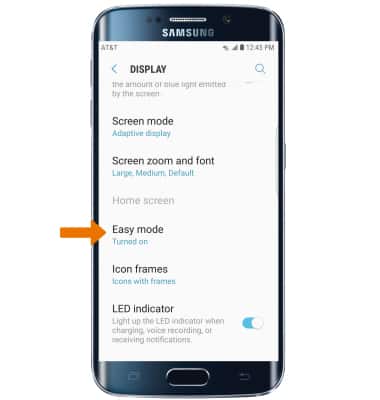
- Select Easy mode.
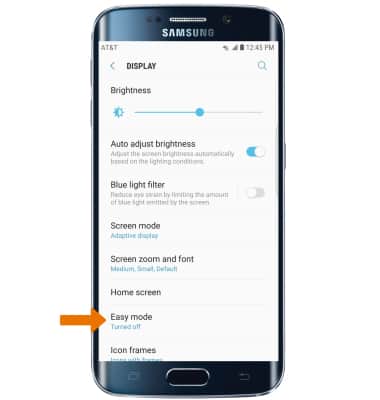
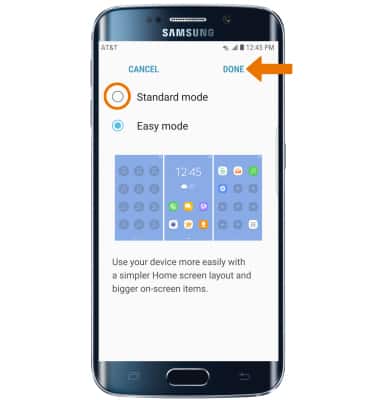
- Select Easy mode, then select DONE.
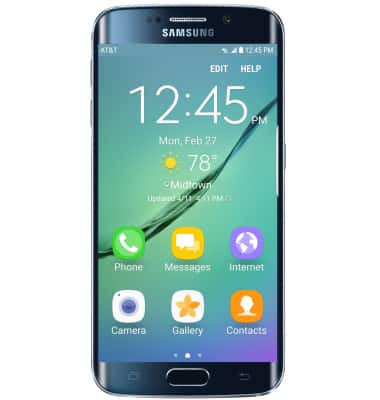
- Your device is now in Easy mode.
- To switch back to the standard home screen, swipe down from the Notification bar then select the Settings icon.
- Select Display.
- Select Easy mode.
- Select Standard mode, then select DONE.
Easy Mode
Samsung Galaxy S6 edge (G925A)
Easy Mode
Switch between Easy Mode (changes your home screen to a more simple experience) and Standard mode.
INSTRUCTIONS & INFO